
Description
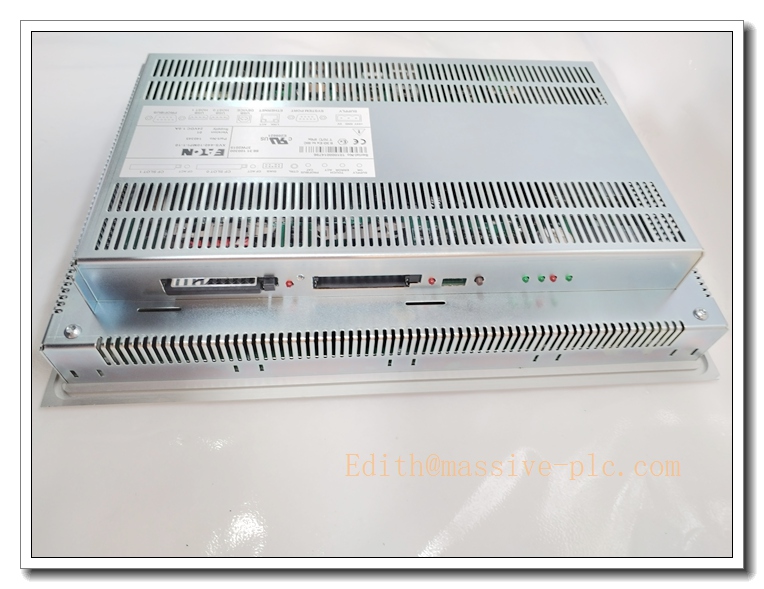
Eaton (Moeller) XVS-440-10MPI-1-10 10.4″ Industrial Touchscreen HMI Operator Panel
Product Core Introduction
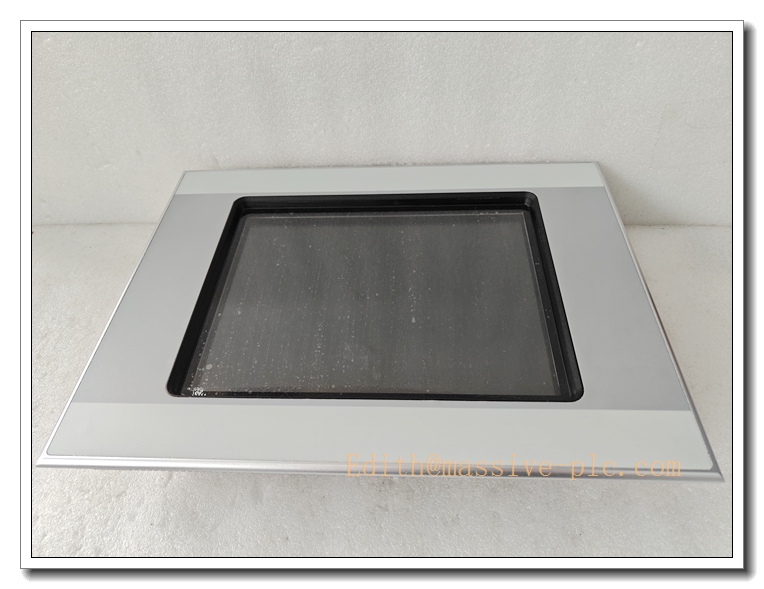
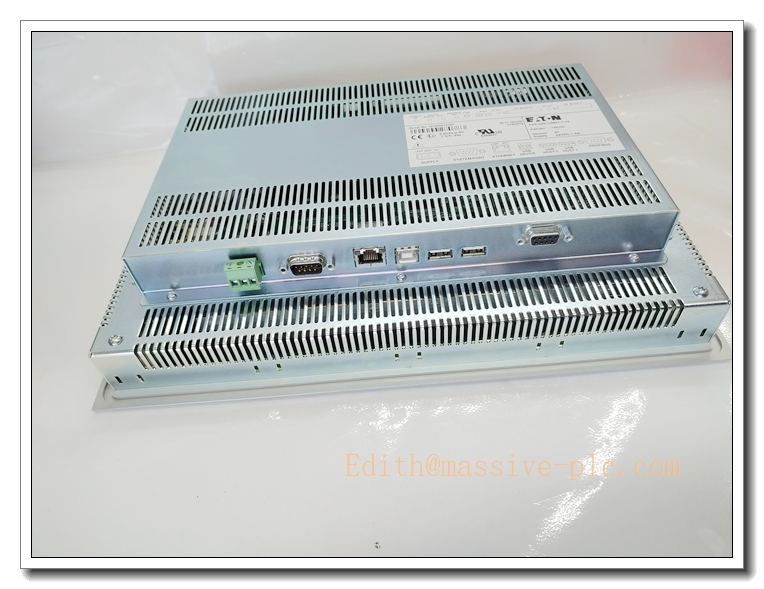
The XVS-440-10MPI-1-10 is a 10.4-inch industrial human-machine interface (HMI) manufactured by Eaton Moeller XVS series. It is a discontinued rugged operator touch panel built for factory automation, designed to visualize process data, receive operator inputs, execute alarm display and recipe management. Equipped with multiple industrial communication ports, it can connect seamlessly with PLCs, VFDs and motion controllers. The MPI suffix indicates MPI multi-point interface for Siemens PLC connection. It features high-brightness TFT display, resistive touchscreen and robust enclosure, widely deployed in legacy production lines for machine operation, parameter setting and real-time process monitoring. OEM production has been discontinued, mainly supplied as spare replacement parts for existing automation systems.
XVS-440-10MPI-1-10
Main Technical Specifications
| Item | Parameter |
|---|---|
| Manufacturer | Eaton (Moeller) |
| Model | XVS-440-10MPI-1-10 |
| Display | 10.4″ TFT Color LCD |
| Resolution | 800 × 600 |
| Touch Type | Resistive touch screen |
| Power Supply | 24VDC, ±10%, max 28W |
| Communication | MPI (Siemens), RS232, RS485, Ethernet, USB |
| Memory | Flash for project storage + RAM for runtime |
| Operating Temperature | 0℃ ~ +50℃ |
| Storage Temperature | -20℃ ~ +70℃ |
| Humidity | 5~95% RH, non-condensing |
| Front Panel Rating | IP65 (for cabinet cutout installation) |
| Rear Housing | IP20 |
| Certification | CE, UL, RoHS |
| Mounting | Panel cutout mounting for control cabinet |
| Status | Discontinued OEM production, surplus/refurbished spares available |
Brand Same Series Model Recommendation
- XVS-440-57MPI-1-10: 5.7-inch compact MPI HMI for small machine control
- XVS-440-70MPI-1-10: 7-inch mid-size MPI touch panel for standard automation machines
- XVS-440-10MPI-1-10: 10.4-inch large screen MPI version for comprehensive process visualization
- XVS-440-10ETH-1-10: 10.4-inch Ethernet variant without MPI port, for modern PLC network
Professional Quality Control Test Standard SOP
- Visual Inspection: Inspect front glass, touch panel, housing, connectors and labels for scratches, cracks or corrosion.
- Power On Test: Apply 24VDC power supply, verify backlight startup, no flickering or abnormal noise.
- Touch Screen Test: Full touch area calibration, confirm all touch zones respond correctly without dead spots.
- Display Test: Check colour, brightness, contrast and pixel integrity; inspect for bright/dark defective pixels.
- Communication Port Test: Test MPI, RS232, RS485, Ethernet and USB interfaces for stable data exchange.
- Project Download & Runtime Test: Download HMI project, run screen switching, alarm and recipe function test.
- Thermal Cycling Test: Temperature cycle from -20℃ to +60℃ for 24 hours to validate display stability.
- Vibration Screening Test: Simulate cabinet vibration to check connector and touch panel reliability.
- Continuous Burn-in Test: 72 hours continuous runtime burn-in, record log before packaging.
New Module Installation
- Cut off 24VDC control power, implement LOTO procedure. Wear anti-static wristband.
- Confirm model XVS-440-10MPI-1-10 matches project firmware and PLC communication requirement.
- Remove old HMI from cabinet cutout, disconnect all cables.
- Insert new HMI into cabinet panel cutout, fasten the mounting clips evenly.
- Wire 24VDC power cable, MPI communication cable and ground wire strictly following wiring diagram. Separate communication cable from high-power cables to reduce EMI.
- Check wiring polarity and insulation, avoid reversed 24V power.
- Restore power, connect to PLC via MPI. Download matching HMI project file.
- Calibrate touch screen, test screen navigation, alarm display and manual operation function before putting online.
XVS-440-10MPI-1-10
Application Scenarios & Features
Application Scenarios
- Legacy production lines with Siemens S7 PLCs
- Packaging, printing and material handling machinery
- Water treatment and HVAC control systems
- Petrochemical auxiliary process local operation panels
- Conveyor, extruder and general factory machine automation
Features
✅ 10.4″ colour TFT resistive touchscreen, IP65 front panel for dust and splash protection ✅ Native MPI interface, direct connection with Siemens S7-300/400 PLC ✅ Multi-port communication: Ethernet, RS232/485, USB for project upload/download ✅ Supports recipe management, alarm logging, trend curve display and manual operation ✅ Rugged industrial design, resistant to vibration and dust in factory environment ✅ Drop-in panel replacement for existing XVS440 series MPI HMI installations ✅ Suitable for maintenance retrofit of old Eaton Moeller automation systems
FAQ
Q1: Is XVS-440-10MPI-1-10 still in original production? A: OEM manufacturing discontinued. Only new surplus and fully tested refurbished spare units available.
Q2: What is MPI port used for? A: MPI is Multi-Point Interface, designed for direct communication with legacy Siemens S7-300/S7-400 PLCs.
Q3: Touch screen no response after replacement? A: Check touch calibration, power supply voltage, front panel damage and touch controller circuit.
A: has MPI port for Siemens legacy PLC; ETH version uses Ethernet without MPI interface.
Q5: HMI screen flickers after power on? A: Inspect 24VDC power quality, power cable voltage drop, cabinet grounding and power supply ripple.

 Start Chat