
Description
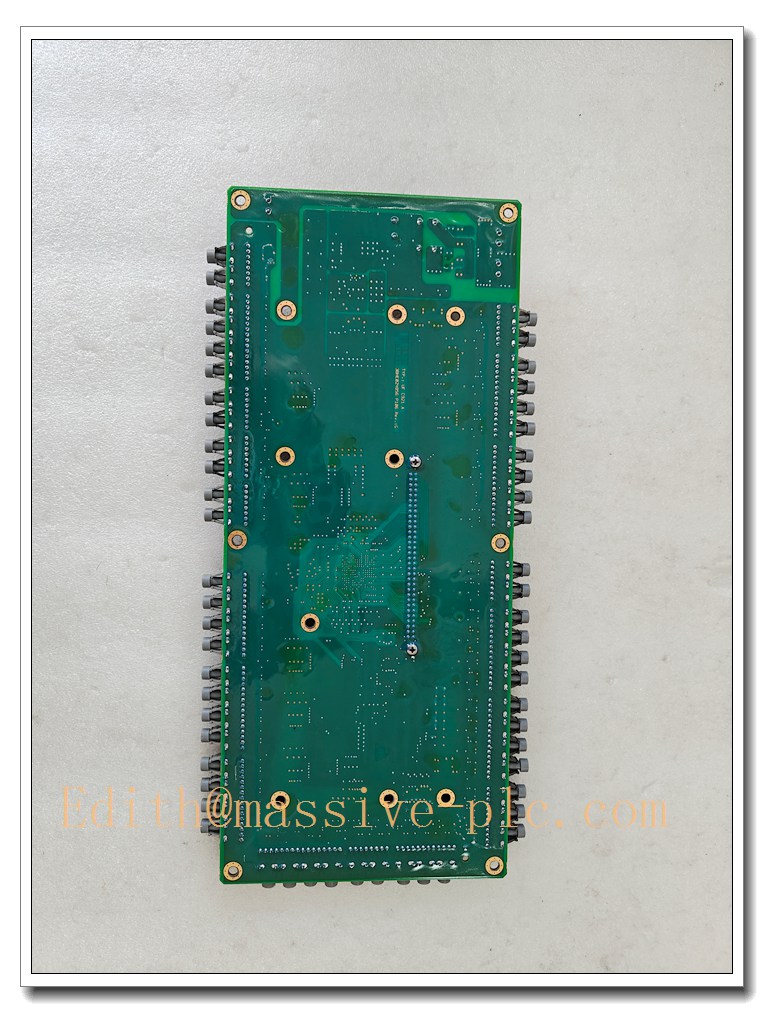
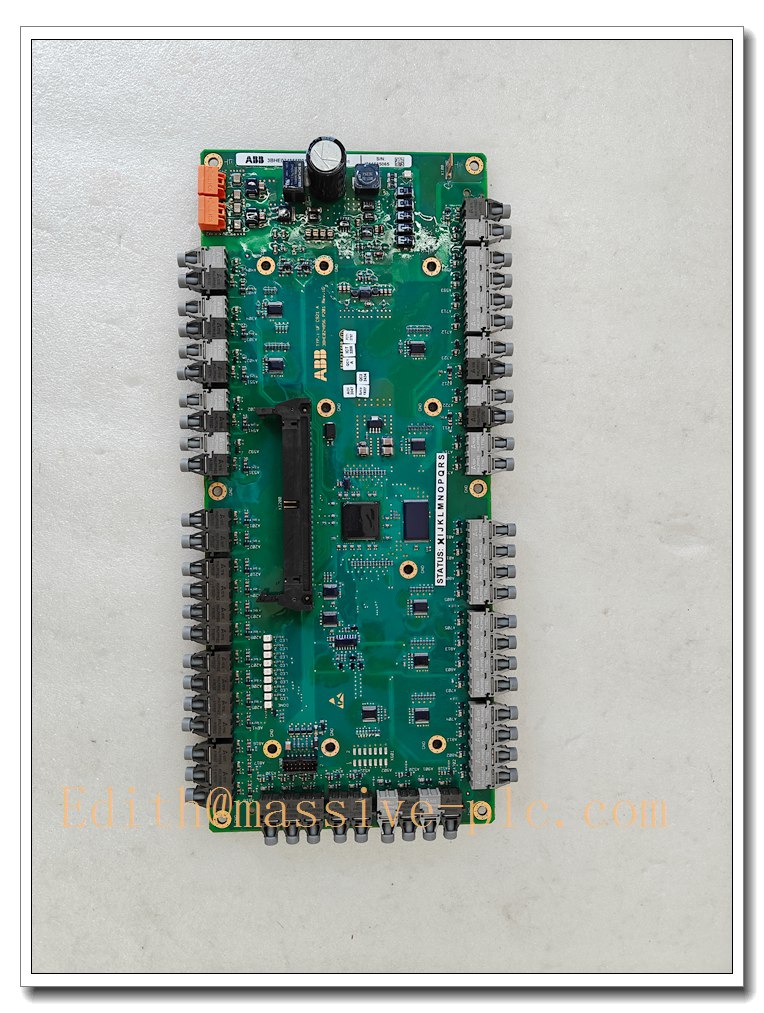
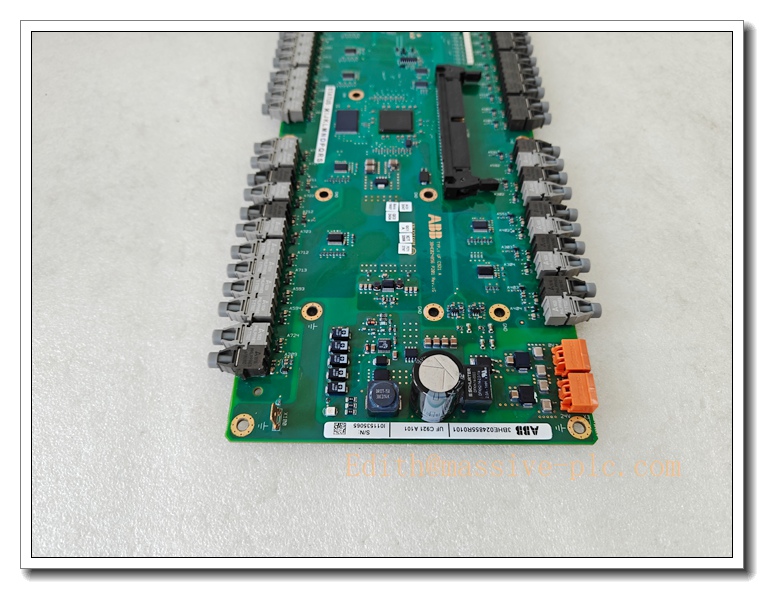
ABB UFC921A101 INT-2 Interface Board, Part No. 3BHE024855R0101 for ABB ACS2000 Medium Voltage Drive
Product Description
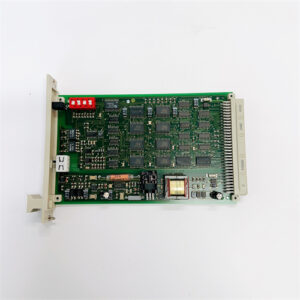
The UFC921A101 (3BHE024855R0101) is the INT-2 coated interface control board used inside ABB ACS2000 medium voltage variable frequency drives. It handles internal drive signal acquisition, gate pulse coordination, fault monitoring, interlock logic and high-speed internal communication between the drive power unit and main controller. The PCB is protected by conformal coating to resist dust, moisture and corrosive contaminants in harsh power room environments. It receives feedback signals from voltage and current sensors, executes protection trips for overcurrent, overvoltage and overtemperature conditions, and reports diagnostic events to the drive control unit. This board is a critical spare part for maintenance, replacement and retrofit of ABB ACS2000 medium voltage drive systems in power, mining, water and heavy industry.
UFC921A101 3BHE024855R0101
Technical Specifications
- Model: UFC921A101
- ABB Part Number: 3BHE024855R0101
- Product Family: ABB ACS2000 Medium Voltage Drive
- Type: INT-2 Conformal Coated Interface Board
- Function: Internal signal interface, pulse coordination, drive interlock & fault detection
- Power Supply: Auxiliary power derived from ACS2000 drive internal power supply
- Coating: Conformal varnish coating for harsh cabinet environments
- Operating Temperature: -10 °C ~ +55 °C
- Storage Temperature: -40 °C ~ +85 °C
- Relative Humidity: 5%–95% non-condensing
- Protection Class: IP20 (mounted inside drive cubicle)
- Mounting: Internal rack mounting within ACS2000 power cabinet
- Weight: Approx. 0.34 kg
- Origin: Sweden
- Diagnostic: Onboard status LEDs, fault flagging and event logging
Compatibility & Installation Pitfalls
Compatibility
- Compatible Drive: ABB medium voltage drive
- Matching Sub-assemblies: power modules, main control unit, voltage/current sensor boards
- Commissioning Tool: ABB DriveStudio / PC service tool
Installation Pitfalls
- Firmware Compatibility: The INT-2 board firmware revision must match the existing main controller firmware. Mismatched firmware leads to pulse misalignment, communication failure or unexpected drive trips.
- High Voltage Hazard: The is a medium voltage drive. Fully isolate, lock out and discharge all high-voltage capacitors before removing or installing this board.
- ESD Risk: Even with conformal coating, exposed connectors and IC components remain ESD sensitive. ESD wrist strap is mandatory during handling.
- Connector Pin Integrity: Do not force connectors during reconnection. Bent pins create intermittent faults that are difficult to diagnose.
- Conformal Coating Care: Avoid scratching or peeling the protective varnish coating; damaged coating reduces resistance to humidity and chemical contamination.
- Parameter Backup: Back up all drive parameters and fault history before board replacement. A full re-commissioning may be required after swap.
- No Hot Swap: This internal interface board cannot be replaced while the drive auxiliary power is energized.
UFC921A101 3BHE024855R0101
Standard Operating Procedure (SOP)
Pre-Installation
- Verify part number UFC921A101 / 3BHE024855R0101. Inspect PCB, connectors and conformal coating for scratches or damage.
- Connect DriveStudio to the drive and back up all drive parameters, fault logs and firmware revision records.
- Perform full lockout/tagout of medium voltage input, wait for complete capacitor discharge. Confirm zero voltage.
- Prepare ESD protection tools, wiring diagrams and original connector position records.
Board Replacement & Installation
- Wear ESD wrist strap before touching the circuit board.
- Open drive cubicle door; carefully label and disconnect ribbon cables and signal connectors from the old INT-2 board.
- Remove mounting screws and extract the old UFC921A101 board.
- Align new board with mounting holes, fix screws securely.
- Reconnect all ribbon cables and signal connectors following labeling. Ensure connectors are fully seated.
- Close drive cubicle.
Post-Installation Verification
- Restore auxiliary power only; check board LED status and run drive self-test.
- Verify firmware version match, restore saved drive parameters if required.
- Execute low-voltage test without applying medium voltage, check sensor readings and interlock status.
- Run drive no-load test, monitor current, voltage and temperature signals.
- Trigger fault simulation test to confirm protection functions operate correctly.
- Save updated parameter backup, record serial number, firmware version and replacement date in maintenance log.
Application Scenarios
- Medium voltage motor control for water pumps, fans and compressors
- Mining, cement and metal industry high-power motor drive systems
- Power plant auxiliary medium voltage drive control
- Offshore and heavy industrial drive maintenance and spare replacement
- Retrofit and upgrade projects of ABB medium voltage variable frequency drives
Supporting / Matching Components
- ABB medium voltage power modules
- main control unit
- Voltage and current sensor boards
- ABB DriveStudio commissioning software
- Internal signal ribbon cables
- ESD protective kit
Related ABB Model Recommendations ( Board Family)
- UFC921A102: Alternative revision INT-2 interface board for
- UFC721AE01: Drive control communication board for
- 3BHE024856R0101: Complementary sensor interface board
- 3BHE024854R0101: Auxiliary signal board for

 Start Chat