Description
ABB 57350001-CU DSAV111 Video Board | Industrial Automation Spare Part
Product Overview
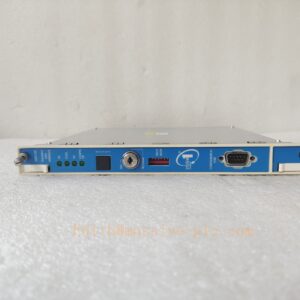
The ABB DSAV111 (Part No. 57350001-CU) is a dedicated rack-mounted video display board engineered for legacy ABB Advant OCS / MasterView 800 control platforms. It delivers stable real-time video signal output, screen rendering and visualization processing for operator HMI stations in distributed control systems. Widely deployed in power, pulp & paper, chemical and heavy process industries, this module serves as a critical replacement spare to restore HMI display functions for ageing ABB Advant systems, minimizing plant downtime during component failure. It adopts standard backplane hot-slot installation design, matching original chassis mechanical and electrical interfaces perfectly.
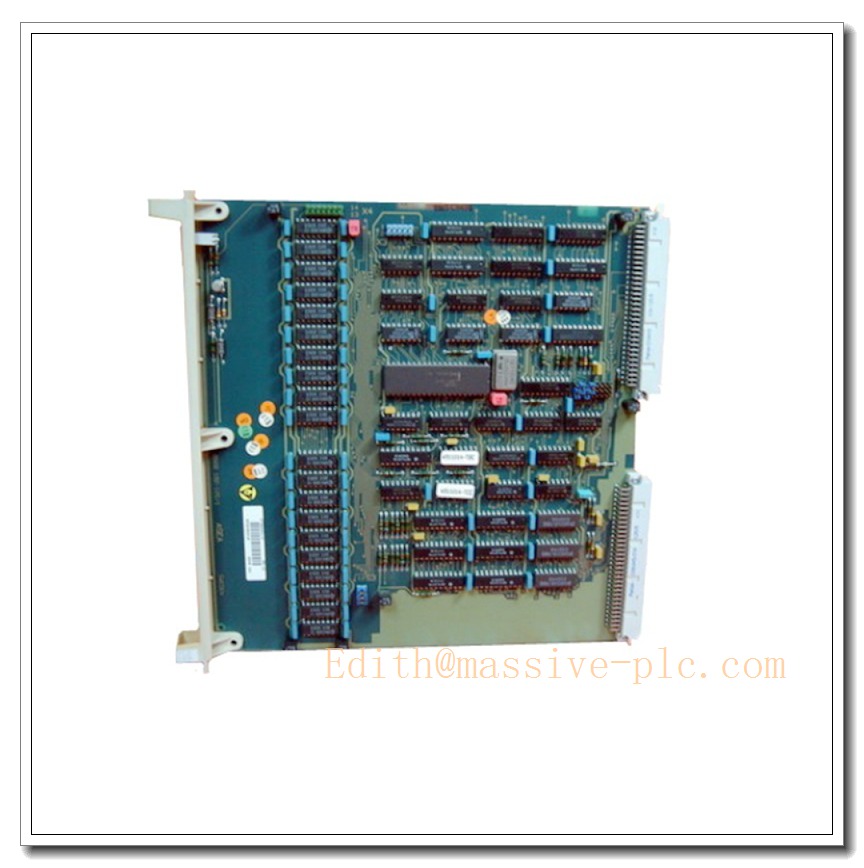
57350001-CU DSAV111
Key Technical Specifications
| Item | Parameter |
|---|---|
| Part Number | 57350001-CU, Type: DSAV111 |
| Product Category | Video Display Board, DCS Spare Module |
| Native Frame Rate | 61.2 Hz |
| Compatible System | ABB Advant OCS, MasterView 800 |
| Installation Form | Rack chassis backplane plug-in module |
| Country of Origin | Sweden |
| Operating Temperature | 0 °C ~ +60 °C |
| Storage Temperature | -20 °C ~ +70 °C |
| Relative Humidity | 5% ~ 95% non-condensing |
| Protection Class | For indoor cabinet installation only |
| Customs HS Code | 85389091 |
| Compliance | RoHS exemption for legacy industrial spare |
Quality Control Procedure
- Incoming Visual Inspection: Check PCB traces, solder joints, connectors, capacitors and component integrity; verify label, part number and anti-static packaging condition.
- Continuity & Power Bench Test: Power on under rated voltage, test power rail stability, check LED indicator status and short-circuit protection.
- Functional Simulation Test: Load matched Advant system simulator, validate video output, frame synchronization and signal integrity at 61.2Hz.
- Burn-in Aging Test: Continuous 48-hour runtime under normal operating temperature to screen intermittent faults.
- Compatibility Verification: Cross-check against original chassis backplane and HMI host to confirm no communication or display conflict.
- Final QC & Documentation: Record test logs, mark qualified serial number, pack with ESD shielding bag and foam; issue inspection report for shipment.
Related Replacement & Companion Models (15 pcs)
- DSAV110
- DSTX110 (57160001-EU)
- DSDC110
- DSDC111
- DSCS140
- DSBC172
- DSBC173
- DSPC172
- DSPC174
- DSAI130
- DSAI133
- DSAO120
- DSDI110
- DSDO110
- DSRC170
Frequently Asked Questions
Q1: Which ABB systems can DSAV111 57350001-CU work with?A: It is designed for Advant OCS and MasterView 800 HMI workstations. It is not compatible with AC800M, S800 I/O or newer ABB DCS platforms. Confirm your controller and chassis revision before ordering.
Q2: Is this module hot-swappable?A: It supports rack slot replacement when the workstation chassis is powered down. Hot-swap under live power is NOT recommended, which may damage the backplane or adjacent boards.
Q3: Is DSAV111 an obsolete product?A: Yes, this is an end-of-life legacy ABB board. Original factory serial production has stopped; available stock is new surplus or fully tested refurbished spare parts.
Q4: What symptoms indicate a faulty DSAV111?A: Blank HMI screen, flickering display, frame sync error, no video output, random screen freeze while other controller functions remain normal.
Q5: What is the warranty coverage?A: Standard 12-month warranty against functional defects, excluding damage from improper installation, overvoltage, static discharge or field environmental corrosion.
Installation & Configuration Guide
Precaution: Always wear an ESD wrist strap during handling. Static discharge can permanently damage PCB chips.
- Preparation: Power off the Advant MasterView chassis, lock out power supply, wait 5 minutes for internal capacitance discharge. Prepare anti-static mat and screwdriver.
- Module Removal: Unlock the ejector latches of the old board, gently pull the module straight out from the backplane slot.
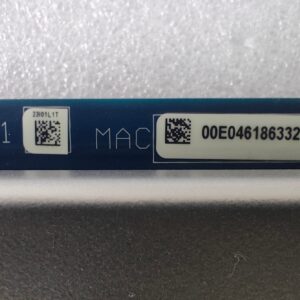
- Visual Check for New Unit: Inspect connector pins for bending or contamination. Confirm the part marking 57350001-CU / matches your BOM.
- Insertion: Align the board guide rails, push steadily until the edge connector fully seats into the backplane, close and lock the ejector latches.
- Power Restore: Close cabinet door, restore power to the HMI workstation. Observe power LED status.
- System Verification: Boot the MasterView operator software. Confirm normal screen output, stable 61.2Hz refresh rate and no display alarm messages.
- Troubleshooting: If no video appears, power off and re-seat the board; check backplane slot pins and ribbon cable connections.
- Post-installation Record: Log serial number, installation date and slot position for plant spare asset management.