Description
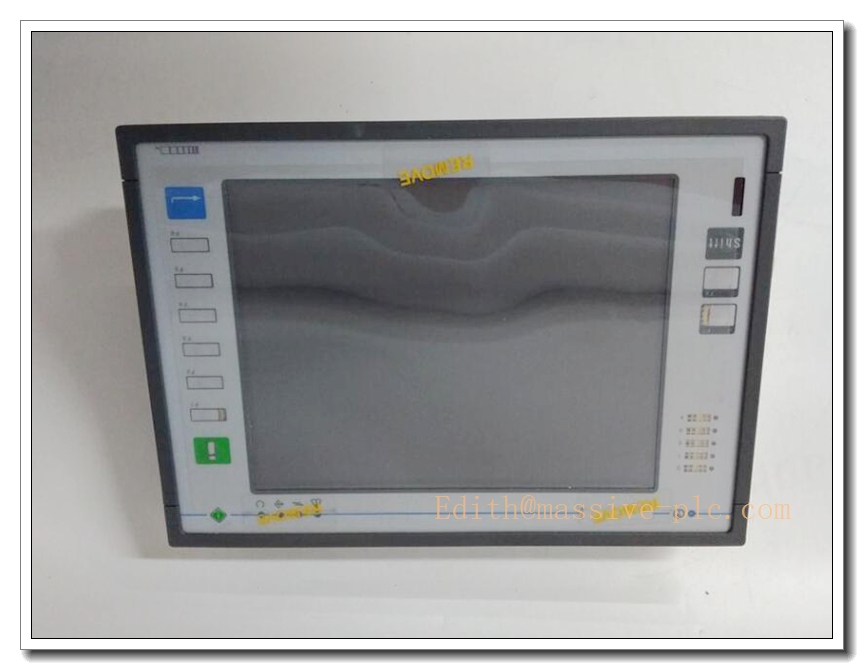
UNIOP ETT-VGA Industrial HMI Operator Terminal
Product Title
UNIOP ETT-VGA | 10.4” VGA Resistive Touch HMI Panel for Industrial Automation & Retrofit Control Systems
Product Description
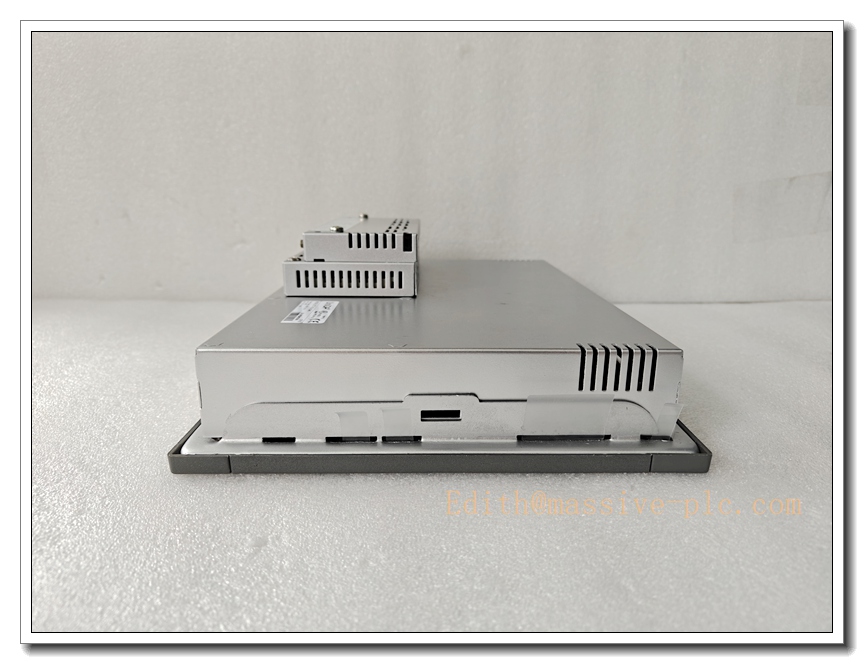
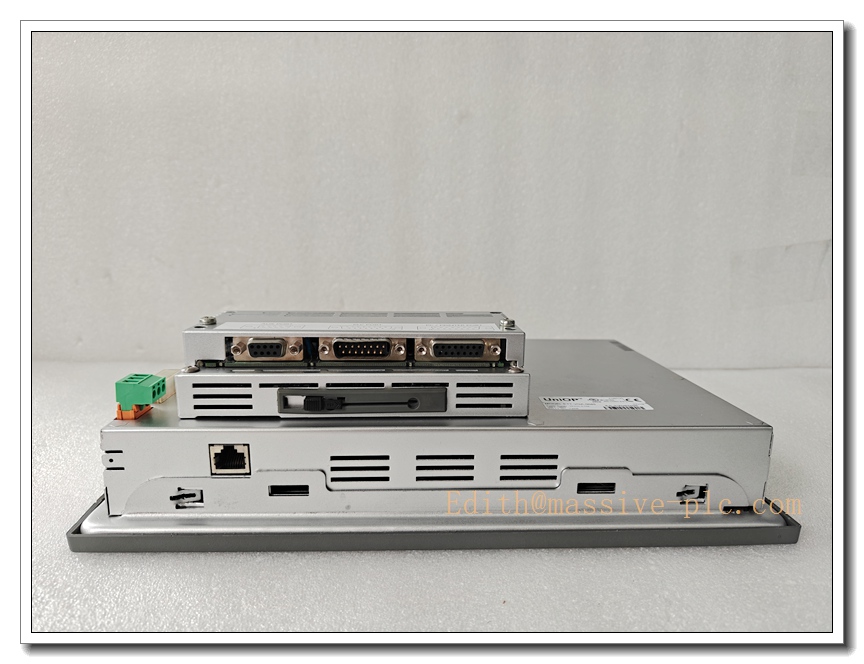
The UNIOP ETT-VGA is a rugged 10.4-inch industrial human-machine interface (HMI) with native VGA TFT color display and resistive touchscreen, designed for legacy factory control system upgrade and process monitoring. This panel integrates multi-protocol serial and Ethernet communication ports to exchange real-time data with PLC, DCS and drive controllers. It supports custom graphical screens, alarm management, recipe storage and multi-language operation for on-site parameter adjustment, trend viewing and fault diagnosis. Built with heavy-duty front panel sealing, the ETT-VGA can withstand dust, humidity and vibration in cabinet-mounted industrial environments. It is widely deployed for replacement of obsolete UNIOP HMI units on packaging machinery, steel mills, power auxiliary control and old DCS control cabinets. CE and RoHS certified for global industrial deployment.
Technical Specifications
| Item | Parameter |
|---|---|
| Brand | UNIOP |
| Model | ETT-VGA |
| Display Size | 10.4 inch TFT LCD |
| Native Resolution | 640 × 480 (VGA) |
| Touch Type | Resistive touch screen |
| Brightness | 300 cd/m² typical |
| Communication | 1 × Ethernet RJ45; 2 × RS232/RS485 |
| Supported Protocols | Modbus RTU / Modbus TCP, Siemens PPI, Allen‑Bradley DF1 |
| Power Supply | 24 VDC ±10%, 0.8A typical |
| Front Panel Rating | IP65; Rear housing IP20 |
| Operating Temperature | -10°C ~ +50°C |
| Storage Temperature | -20°C ~ +70°C |
| Humidity | 10% ~ 90%, non-condensing |
| Vibration | Complies with IEC 60068-2-6 |
| Mounting | Cabinet cutout panel mount |
| Certifications | CE, RoHS |
| Weight | 0.8 kg |
Compatibility & Installation Pitfalls
Compatibility
- Controllers: PLC supporting Modbus RTU/TCP, Siemens S7-200, Allen‑Bradley Micro series
- Programming Software: UNIOP Designer configuration software
- Cable: Shielded RS485 / Ethernet twisted pair cable
- Replacement target: Older UNIOP ETT series legacy HMI panels
- Not compatible: Proprietary non-standard PLC protocols without driver, 5V field power supply
Critical Installation Traps
- Cutout dimension error: Incorrect cabinet panel cutout causes poor sealing. Front IP65 rating fails if gasket is pinched or misaligned, leading to dust and water ingress.
- Power supply ripple: Unstable 24VDC power with high ripple triggers screen flicker, random reboot and touch freeze. Use regulated industrial DC power supply.
- Ground loop noise: Long unshielded serial wiring induces electrical noise. This causes communication dropouts or ghost touch events. Always shield cable and single-point earth.
- Touchscreen damage: Sharp metal tools on touch surface will permanently scratch resistive layer. Operate only with finger or approved plastic stylus.
- Software firmware mismatch: Old project files may require matching firmware revision. Downloading incompatible firmware leads to boot failure.
- Heat accumulation: Keep clearance behind HMI rear housing. Blocked cabinet ventilation causes overheating and premature LCD backlight burnout.
- Static discharge: Touch circuit is ESD sensitive. Discharge to front panel can reset the unit. Ensure cabinet protective earth is properly bonded.
Standard Operating Procedure (SOP)
- Pre-Install Inspection Isolate power with LOTO procedure. Inspect ETT-VGA for cracked touch glass, LCD bleeding, connector corrosion. Confirm project firmware revision and cutout drawing.
- Panel Cutout & Mounting Prepare cabinet cutout, fit rubber gasket. Insert HMI from front of panel, secure rear mounting clips evenly to compress gasket uniformly.
- Wiring & Communication Wire 24VDC power and earth connection. Run shielded RS485 or Ethernet cable to PLC. Perform continuity check, avoid short circuit to ground.
- HMI Project Configuration Open UNIOP Designer. Import screen project, select PLC communication driver, set station address and baud rate. Compile and download project to ETT-VGA.
- Power-Up and Commissioning Apply 24VDC power. Wait for boot sequence. Verify touch calibration, screen graphics, alarm functions and real-time PLC data exchange. Test touch response and recipe saving.
- Continuous Operation & Maintenance Monitor HMI alarm logs and communication status. Periodically clean touch screen surface with mild non-abrasive cleaner. Inspect gasket integrity during shutdown.
- Replacement Procedure De-energize the HMI power. Disconnect communication and power cables. Release rear clips and remove old panel. Install new ETT-VGA, re-download project, re-calibrate touch and verify data link.
Application Scenarios
- Manufacturing machine control panel (packaging, textile, plastic machinery)
- Steel & metal processing line monitoring
- Power plant auxiliary system local operator interface
- Water treatment plant control cabinet
- Petrochemical auxiliary local control
- Legacy DCS and PLC system retrofit replacement
- Building automation & material handling systems
Supporting Components
- Regulated 24VDC industrial power supply
- Shielded RS485 twisted pair cable
- Ethernet CAT5e cable
- UNIOP Designer programming software
- Programming download cable
- Cabinet mounting gasket and clips
- Anti-static wristband
- Plastic touch stylus
- Surge protection module for serial bus
- Spare backlight assembly for maintenance
Related Model Recommendations (10 Models)
- ETT-VGA-0045: UNIOP 10.4” variant with enhanced EMC protection
- ETT-STN: UNIOP monochrome STN legacy HMI
- ETT-TFT: UNIOP 10.4” TFT color HMI base model
- eTOP306: UNIOP compact 6-inch touch panel
- eTOP310: UNIOP 10.4” modern replacement HMI
- eTOP507: UNIOP 7-inch wide screen HMI
- eTOP510: UNIOP 10-inch high brightness HMI
- eTOP607: UNIOP advanced 7-inch HMI with web server
- eTOP610: UNIOP premium 10-inch HMI
- ETOP806: UNIOP high-performance 6-inch HMI