
Description
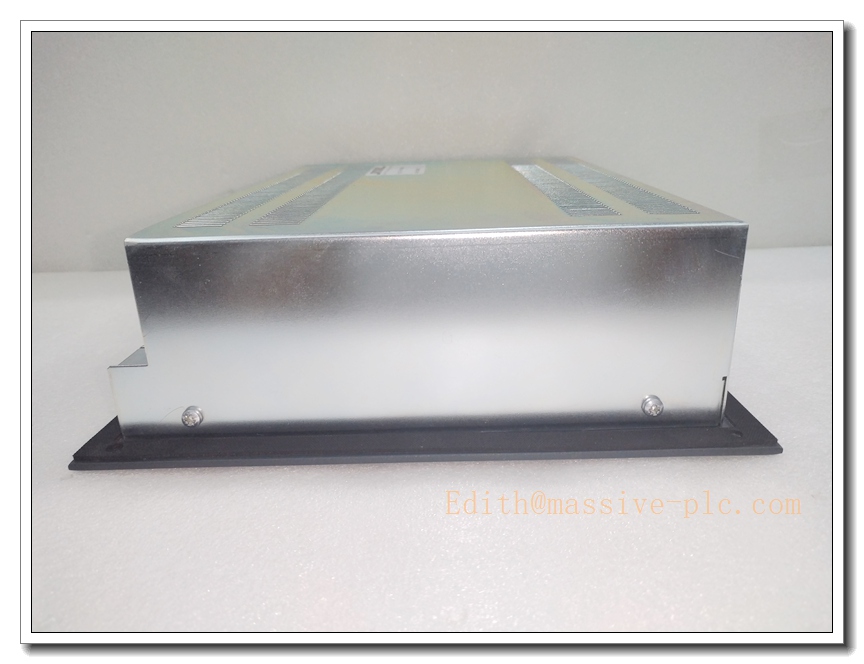
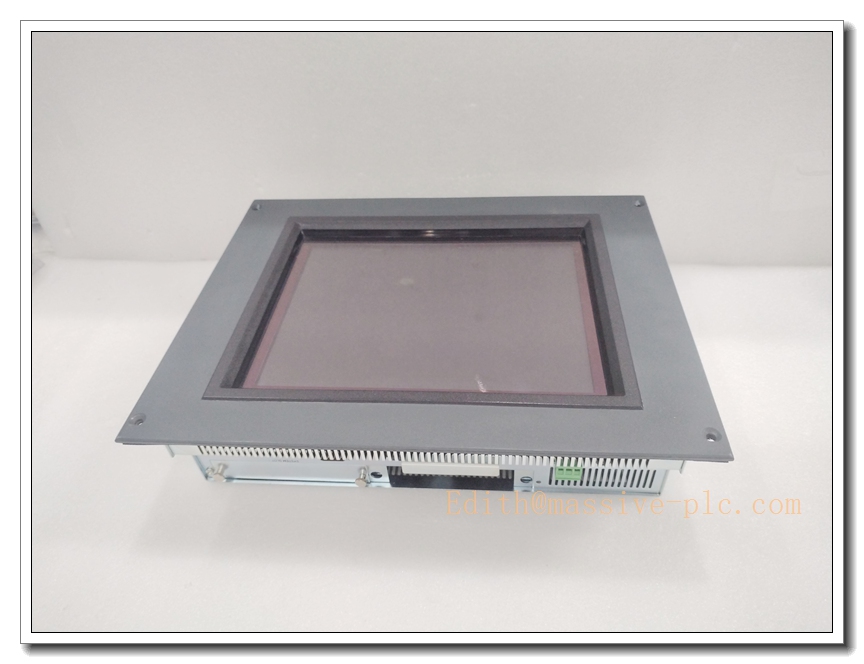
Micro Innovation GF1-10TVD Industrial HMI Touch Panel
Product Description
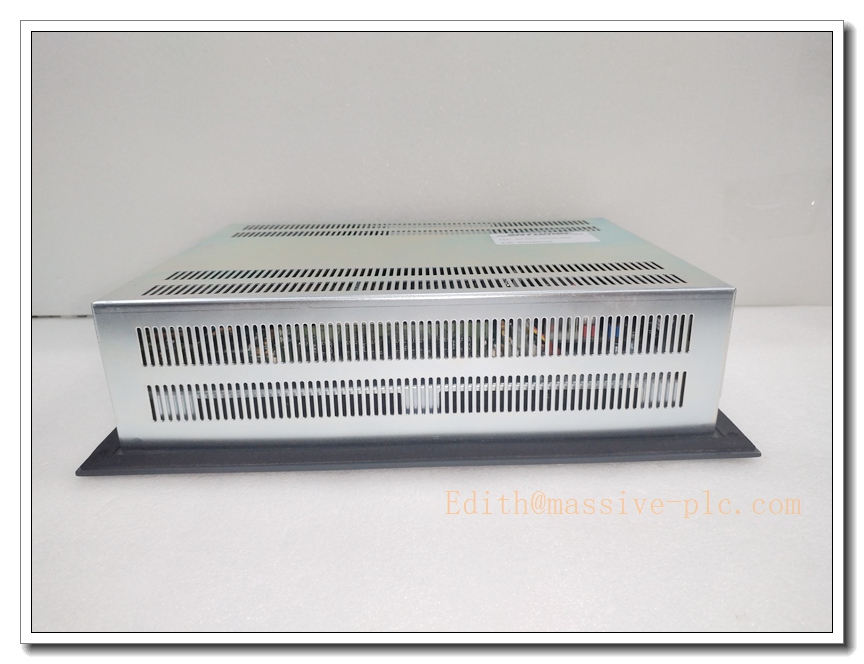
The Micro Innovation GF1-10TVD is a rugged 10.1-inch industrial human-machine interface designed for process visualization, parameter setup, alarm viewing and manual machine operation. Built with fanless low-power architecture, this HMI serves as the operator gateway between field PLCs, controllers and on-site personnel. It features a high-brightness TFT display and industrial touch layer, delivering stable visual output under cabinet or workshop lighting conditions. Equipped with isolated serial ports and Ethernet, it supports mainstream industrial communication protocols for data acquisition, recipe management and fault logging. The front panel meets IP65 rating to resist dust, splashing liquid and workshop contaminants, making it suitable for continuous 24/7 operation in factory, power and marine automation environments.
GF1-10TVD-000
Technical Specifications
| Item | Parameter |
|---|---|
| Model | GF1-10TVD |
| Brand | Micro Innovation |
| Display | 10.1″ Color TFT LCD |
| Resolution | 1280 × 800 |
| Touch Type | Industrial resistive touch |
| Brightness | 1000 cd/m² |
| Power Supply | 24 VDC ±10% |
| Operating Temperature | -20°C ~ +60°C |
| Storage Temperature | -40°C ~ +85°C |
| Front Protection | IP65 (panel face) |
| Cooling | Fanless passive cooling |
| Communication | Ethernet, RS232 / RS485 isolated serial ports, USB |
| Mounting | Panel cutout flush mounting |
| Enclosure Material | Aluminum alloy front frame |
Compatibility & Installation Traps
Compatibility
- Compatible with Micro Innovation configuration software for screen programming and firmware upgrade.
- Supports connection with Siemens, Allen‑Bradley, Omron and Modbus-based PLC and DCS controllers.
- Requires correct firmware version; old project files may need conversion before download.
- Not interchangeable with non-GF1 series HMIs even if screen size looks identical; cutout dimensions and pinouts differ.
Common Installation Traps
- Improper gasket placement during panel mounting; uneven compression breaks IP65 sealing and allows water or dust ingress.
- Using non-isolated RS485 wiring without ground separation, creating ground loops and flickering screen or lost communication.
- Applying voltage outside 24VDC tolerance; overvoltage damages internal power circuit, reverse polarity blows protection fuse.
- Running signal cables parallel with high-power servo or inverter cables without shielding separation, triggering touch misfire and screen noise.
- Downloading incompatible firmware; wrong firmware can brick the unit and require factory recovery.
- Over-tightening mounting clips, which warps the aluminum front frame and causes touch dead zones.
- Touch calibration not performed after replacement; inaccurate touch coordinates affect operation.
- Installing in direct sunlight without shading; prolonged UV exposure accelerates backlight ageing and reduces service life.
GF1-10TVD-000
Standard Operating Procedure (SOP)
- Pre-inspection: Examine GF1-10TVD for scratch, crack, deformed gasket and connector damage. Confirm model and revision match the original unit.
- Power isolation: Cut off 24VDC supply and all connected controller power; verify no live voltage on terminal block.
- Panel removal: Release mounting clips, gently extract the old HMI, label all communication and power cables.
- Cutout and gasket check: Clean the cabinet cutout; fit the new rubber gasket fully into the front panel groove without twisting.
- Mounting: Insert GF1-10TVD from cabinet front, install retaining clips and fasten evenly with moderate torque.
- Wiring: Reconnect 24VDC power, Ethernet and serial cables as marked; separate shielded communication cables from high-voltage wiring.
- Power-on: Restore 24VDC power, boot the HMI and confirm backlight and touch wake normally.
- Project download and test: Upload the validated HMI project, set communication parameters, run touch calibration and verify data exchange with PLC.
- Final commissioning: Test alarm pop-ups, recipe switching and manual control functions; save configuration and return to normal operation.
Application Scenarios
- Production line machine operator control panels
- Power plant auxiliary DCS monitoring interfaces
- Petrochemical and water treatment process visualization
- Packaging, printing and web converting machinery
- Marine and offshore local control stations
- Material handling and conveyor system HMI
- CNC and metalworking machine operation terminals
- Building HVAC and intelligent pump control systems
Matching Components
- 24 VDC regulated industrial power supply
- Shielded Ethernet cable and RS485 twisted-pair cable
- Original rubber sealing gasket and panel mounting clips
- Micro Innovation HMI programming software and USB download cable
- ESD wrist strap and anti-static mat
- Terminal blocks and cable strain reliefs
- PLC or DCS controller for data communication
- Replacement backlight spare and touch overlay
Recommended Related Models (8)
- GF1-07TVD
- GF1-10TVD-100
- GF1-12TVD
- GF1-15TVD
- GF2-07TVD
- GF2-10TVD
- GF2-12TVD
- GF2-15TVD

 Start Chat