
Description
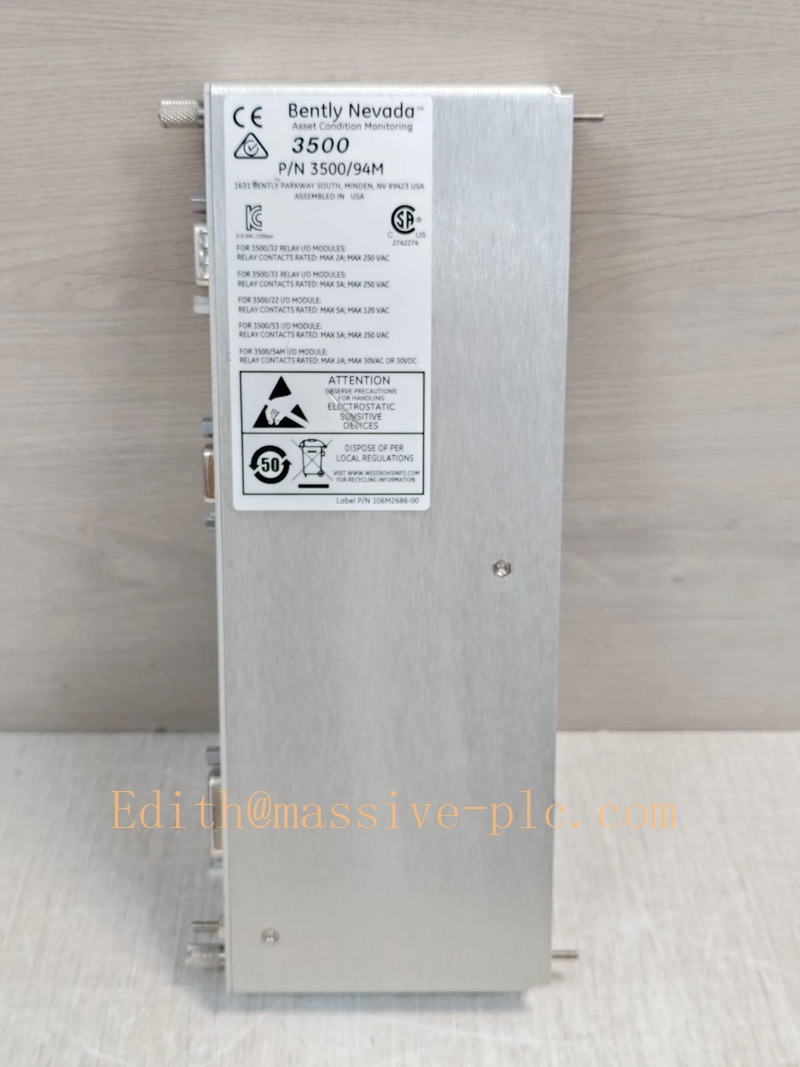
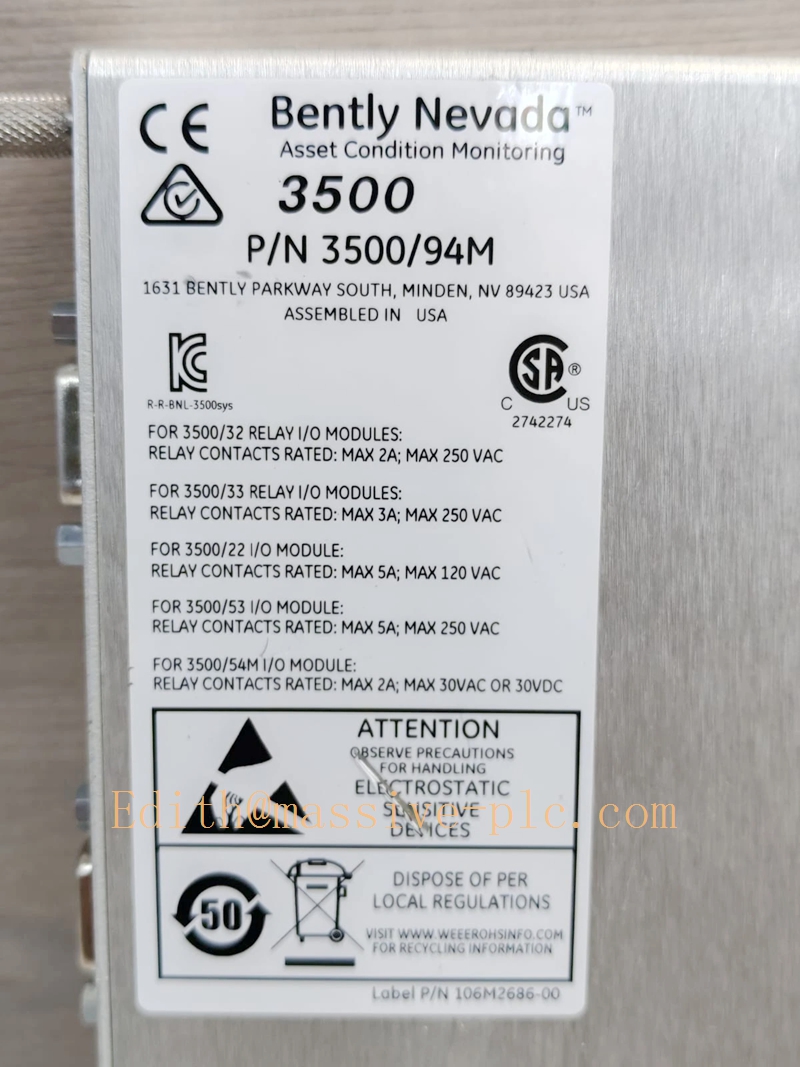
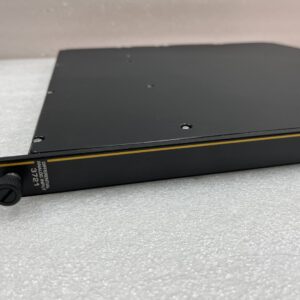
Bently Nevada 190214‑01 3500/94M Normal Rear I/O Module
Model Introduction
Model: 3500/94M Normal I/O Rear Module Part Number: 190214‑01 Device Type: Full‑height rear‑slot I/O card for 3500/94M VGA graphic display main board Manufacturer: Bently Nevada (Baker Hughes) System Compatibility: Installs in rear slot directly behind front‑insert 3500/94M (184826‑01) main module. Works inside full‑size 3500 rack; not compatible with mini‑rack.
Full system set requirement: ‑ Front main module: 184826‑01 (3500/94M) ‑ Matching rear I/O: 190214‑01(Normal I/O) or 190214‑02(Power‑only I/O) ‑ Mandatory companion: 147663‑01 (3500/22 TDI) must be present in rack for waveform/orbit data display.
Application Scenarios: TSI turbine supervisory system, steam/gas turbine, compressor local graphic HMI. Provides physical signal interface for VGA video, RS‑232 touch controller and 24 VDC display power output. Supports 15‑inch touch‑screen, 19‑inch rack‑mount, panel‑mount and wall‑mount display installations. Complies with API‑670. Country of Origin: United States Lifecycle Status: OEM discontinued; only aftermarket spare‑parts available.
Important distinction: ‑ 190214‑01 Normal I/O: For 15‑inch display and all non‑face‑mount installation modes, full signal set (VGA+touch+24VDC). ‑ 190214‑02 Power‑only I/O: Only for 10‑inch face‑mount display, power output only, no full VGA/touch signals routed out. ‑ This rear‑I/O card only routes graphic‑display signals; NO Modbus function. For DCS integration use 3500/91 /91M /92 gateway.
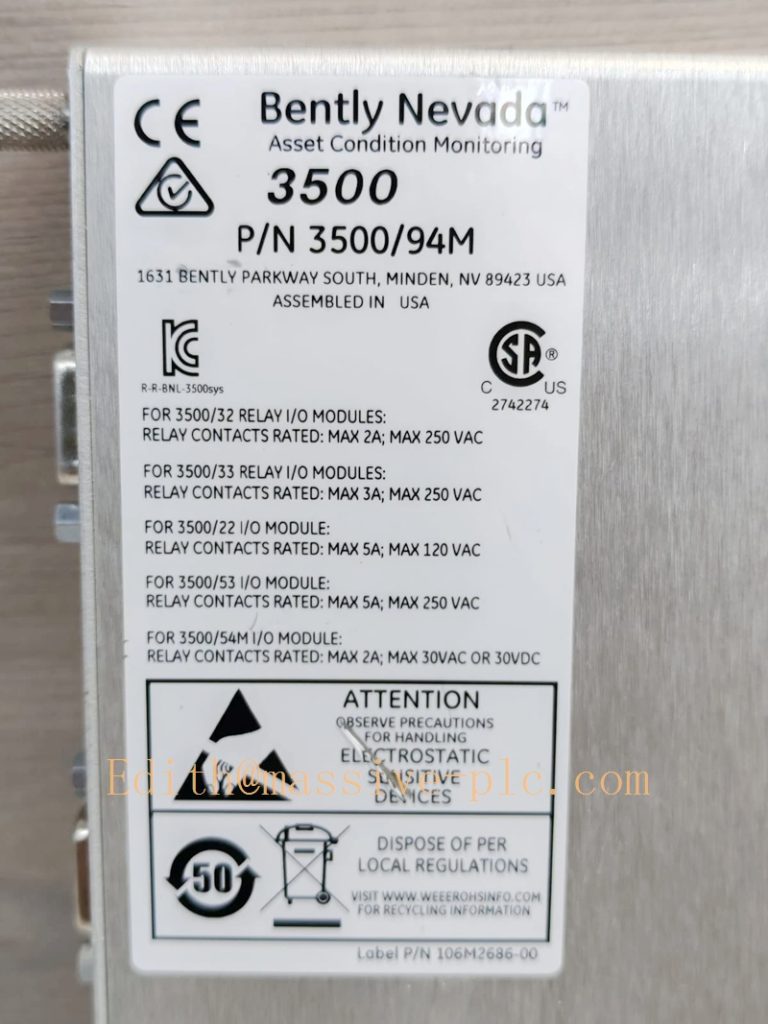
190214‑01
Technical Introduction
Core Functions
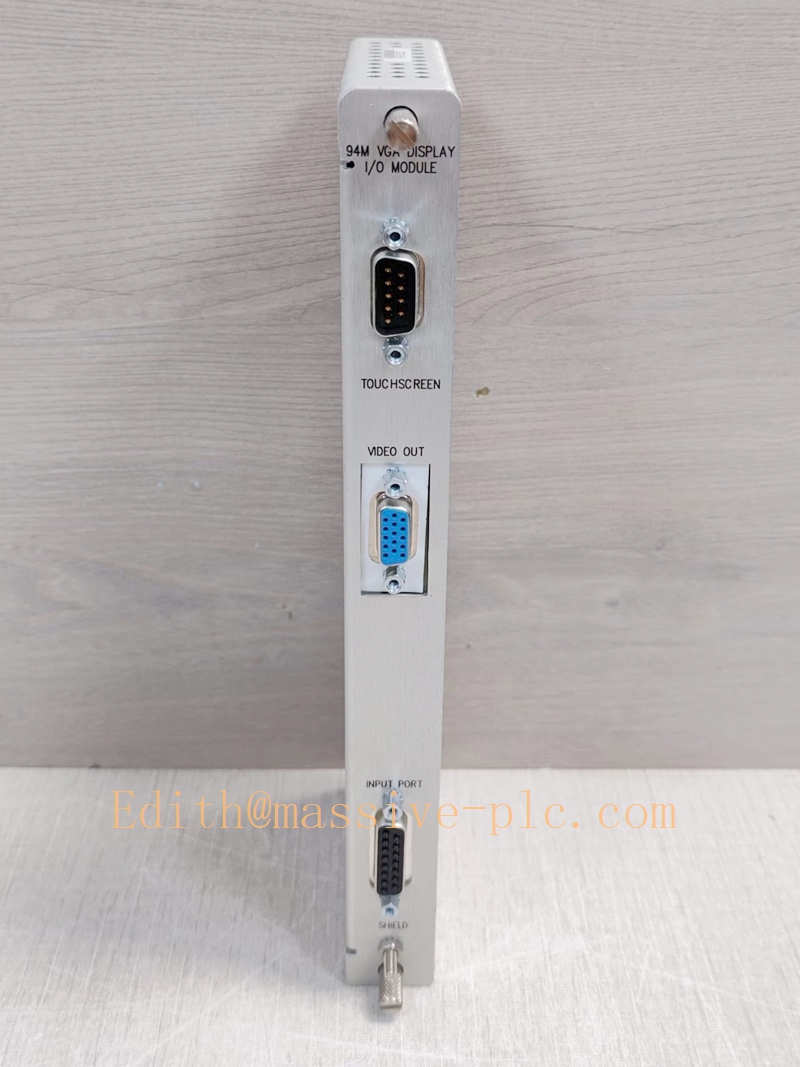
‑ Matches front‑side 3500/94M (184826‑01), routes VGA RGB/sync video signals to external touch‑screen monitor. ‑ RS‑232 interface for touch‑controller signal transmission. ‑ 24 VDC power supply output for powering external touch‑screen display unit. ‑ On‑board status LED indicators: OK, TX/RX for communication diagnostics. ‑ Backplane signal isolation between rack internal bus and external display field wiring.
Key Technical Specifications
| Item | Parameter |
|---|---|
| Signal Interfaces | VGA video output, RS‑232 touch interface, 24 VDC power output |
| Rack Position | Full‑height rear slot, behind 3500/94M front‑module |
| Max Power Consumption | 4.6 W |
| Operating Temperature | ‑20 ℃ ~ +65 ℃ |
| Storage Temperature | ‑40 ℃ ~ +85 ℃ |
| Humidity | 5 %‑95 % non‑condensing |
| Dimension(H×W×D) | 241.3 mm × 24.4 mm × 99.1 mm |
| Weight | 0.34 kg |
| Compliance | API‑670, industrial EMC EN61000‑6‑2 /‑6‑4 |
Mechanical Feature
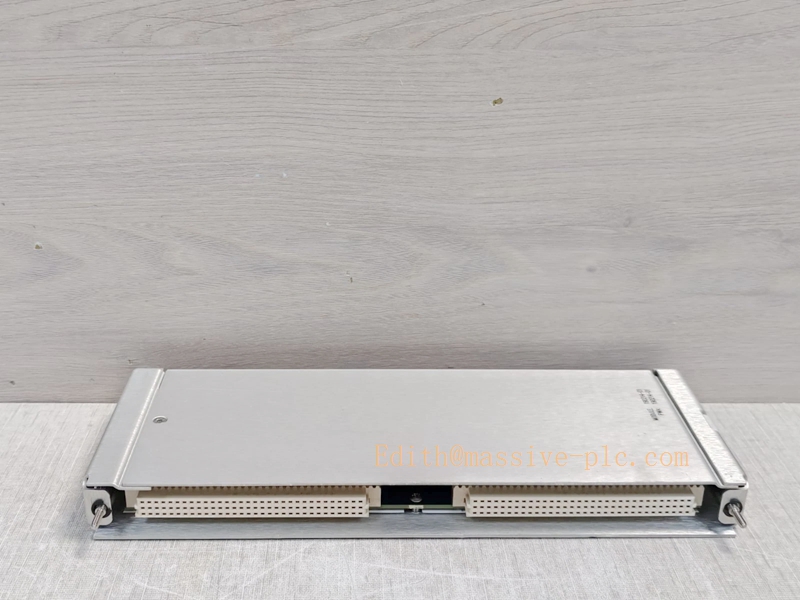
Full‑height rear‑slot I/O module, sits directly behind 3500/94M front‑insert main module. External field connectors are located on rack rear face. Not hot‑swappable: power‑off rack before removing/replacing rear‑I/O card.
Adaptive Quality Assurance & Test Protocol
3.1 Factory Adaptive QA Procedure
- Backplane continuity test: verify signal path between front‑module mating connector and rear field connectors, detect open‑circuit / short‑circuit defects.
- VGA video signal integrity test.
- RS‑232 touch‑controller signal path test.
- 24 VDC power output loading test.
- Full‑set interoperability test: pair with genuine 184826‑01(3500/94M) +147663‑01(TDI), confirm graphic‑display function.
- Environmental screening: temperature cycling test, EMC noise‑immunity test.
- Serial‑number traceability, full functional‑test report archived.
3.2 On‑site Acceptance Test Protocol
- Visual inspection: Check rear‑card housing, rear‑side field connectors without damage or oxidation.
- Rack installation: Mount 190214‑01 in rear slot directly behind 184826‑01 front‑module; confirm 3500/22 TDI(147663‑01) is installed inside rack. Power‑on rack, open 3500 Rack Configuration Software, confirm no hardware‑mismatch alarms.
- Field wiring test: Connect VGA cable, RS‑232 touch cable to external touch‑screen display.
- Power‑on test: Check rear‑card OK / TX‑RX LED status; confirm external monitor outputs graphic pages normally.
- Touch‑screen functional test: Operate menu navigation via touch panel.
- Data‑consistency cross‑check: Compare graphic‑display readings against configuration‑software online values.
- Test‑record filing: Log part‑number, hardware‑revision, test‑result snapshot for site QA archive.
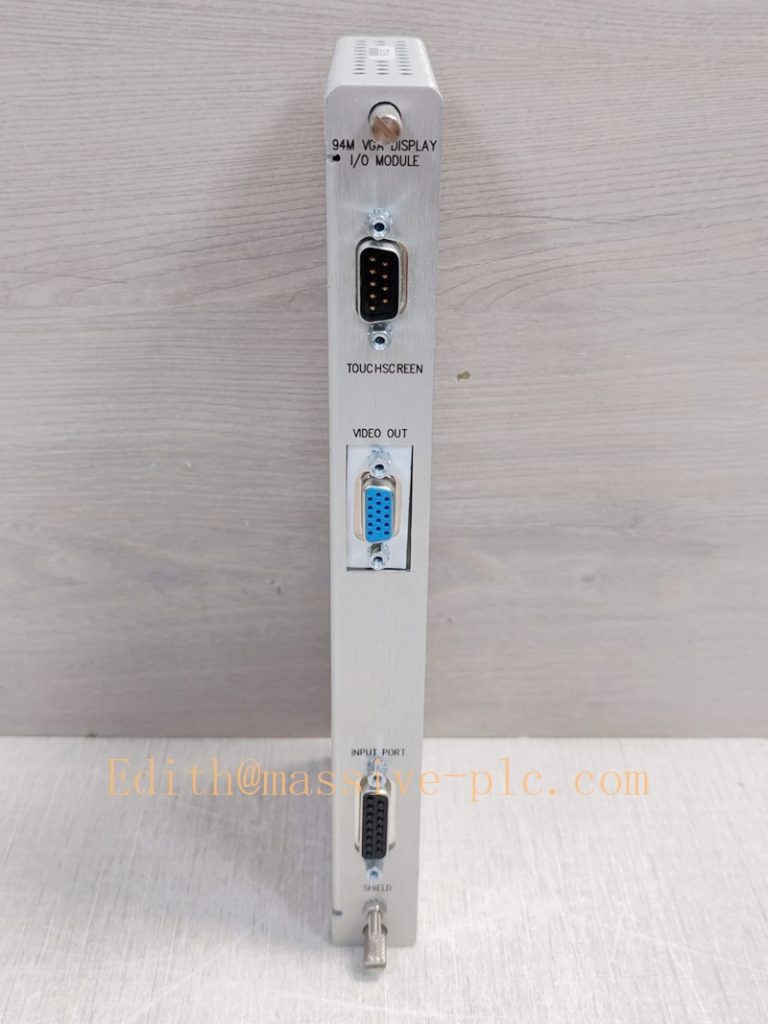
190214‑01
Field Engineer Technical Notes
Installation Guidance
‑ 190214‑01 must occupy rear slot directly behind 3500/94M front‑module(184826‑01); cannot be placed in arbitrary rear‑slot position. ‑ Not hot‑swappable: rack power‑off before rear‑I/O card replacement. ‑ For 15‑inch display, 19‑inch rack‑mount, panel‑mount or wall‑mount: use 190214‑01 Normal I/O. For 10‑inch face‑‑mount only, select 190214‑02 Power‑only I/O. ‑ The whole graphic‑display system still requires 3500/22‑147663‑01 TDI to get waveform / orbit data. Without TDI, only static parameter values are available, no dynamic vibration waveforms.
Field note: 190214‑01 is obsolete legacy hardware. Many end‑users decommission 3500/94M system and migrate to PC‑based System 1 monitoring solution.
Commissioning Tips
‑ After front‑module + rear‑I/O + TDI full‑set installation, download complete rack configuration. Configure custom graphic‑display pages inside 3500 Rack Configuration Software. ‑ Verify VGA cable length ≤20 ft for stable video signal quality. ‑ Cross‑validate: channel values, alarm‑status and event‑log must keep consistent between graphic‑display and configuration‑software.
Troubleshooting Common Issues
- No VGA output on external display: Check 190214‑01 is seated correctly behind 184826‑01; inspect rear‑side field connectors and VGA cable integrity.
- Touch‑screen no response: Check RS‑232 wiring path through 190214‑01 rear‑I/O card.
- No waveform/orbit graphic pages: Confirm 147663‑01 TDI is present and fault‑free in rack.
Diagnostic reference: Read rack system‑event‑log inside 3500 Rack Configuration Software for 3500/94M fault‑codes.
Maintenance & Spare‑part Recommendation
‑ No field‑serviceable components onboard; replace complete 190214‑01 rear‑I/O card upon hardware‑failure. ‑ Spare‑part suggestion: Keep matched full‑set: 184826‑01(front‑main) +190214‑01(rear‑I/O) +147663‑01(TDI) for legacy racks running 3500/94M graphic‑display. ‑ Preventive inspection during shutdown: Check rear‑card seating, rear‑side field‑connector tightness, cable aging and shielding integrity.
3500/94M System Hardware Matching Table
| Part Number | Hardware Description | Installation Location | Mating Hardware |
|---|---|---|---|
| 184826‑01 | 3500/94M VGA graphic‑display main module | Rack front‑user‑slot | 190214‑01 /190214‑02 rear‑I/O |
| 190214‑01 | Normal I/O rear‑card (VGA+touch+24VDC) | Rear‑slot behind 184826‑01 | 184826‑01 front‑main module |
| 190214‑02 | Power‑only I/O rear‑card (10‑inch face‑mount only) | Rear‑slot behind 184826‑01 | 184826‑01 front‑main module |
| 147663‑01 | 3500/22 TDI transient‑data‑interface | Any front‑user‑slot | Mandatory for 3500/94M waveform display |

 Start Chat