
Description
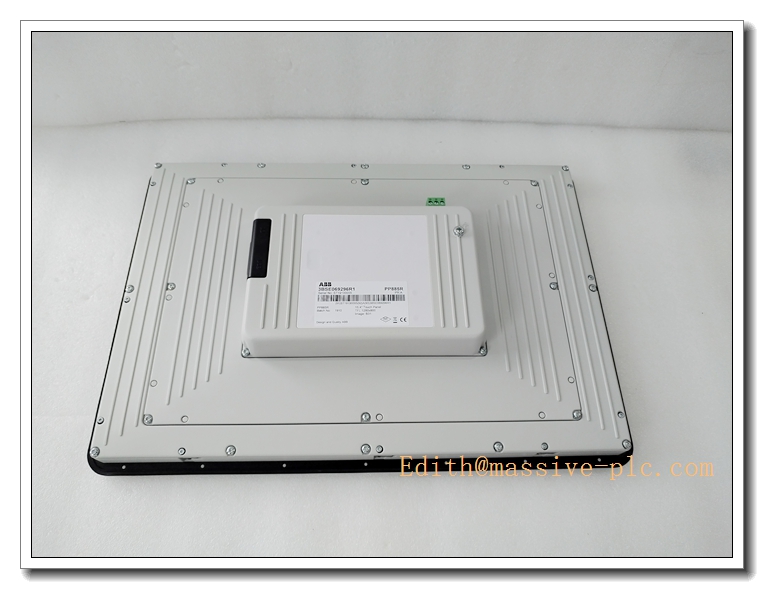
ABB PP885R 3BSE0692985R1 Rugged 15.4″ Touch Screen HMI Panel, Panel 800 Operator Interface, ABB 800xA DCS Process Visualization Spare Part
Product Application
PP885R is a ruggedized industrial touch HMI panel from ABB Panel800 family, designed for operator supervision and process visualization in ABB 800xA / AC800M DCS systems. It displays real-time process data, alarms, trend curves and supports manual operation of field control loops.
- Power plant boiler, turbine auxiliary control room local operation
- Petrochemical plant on-site operator station for process monitoring
- Oil & gas compressor station and offshore platform rugged HMI application
- Metallurgy rolling mill and furnace field operation panel
- Cement plant kiln and material handling local control interface
- Water & wastewater treatment plant field process visualization
- Upgrade and spare replacement for ABB Panel800 rugged operator panels
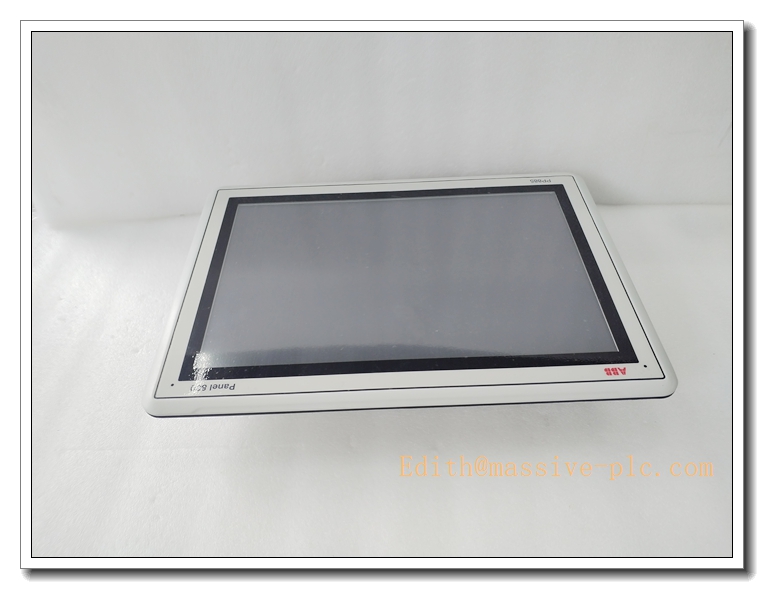
PP885R 3BSE0692985R1
Specifications
- Part Number: PP885R, 3BSE0692985R1
- Brand: ABB
- Product Type: Ruggedized Touch Screen Operator Panel (Panel 800 Series)
- Compatible System: ABB 800xA, AC800M, Freelance DCS
- Display: 15.4 inch TFT LCD, resolution 1280 × 800 WXGA, LED backlight
- Touch Type: Resistive touchscreen
- Front Protection Rating: IP66 / NEMA4X
- Mounting: Panel cutout mounting, also support VESA 75×75 mounting
- Dimension: 410 × 286 × 83 mm
- Weight: Approx. 3.2 kg
- Power supply: 24VDC (18 ~ 32VDC)
- Power consumption: Max 50W
- Condition: Original new / refurbished spare available
- Compliance: CE, UL, CSA, DNV marine certification
Parameters
- Processor: High-performance industrial ARM processor
- Memory: 512MB RAM, built-in flash storage for HMI project
- Communication: 1 × 10/100Mbps shielded RJ45 Ethernet, USB2.0 host port
- Supported Protocol: ABB 800xA protocol, Modbus TCP, Modbus RTU
- Software: Programmed by ABB Panel Builder
- Operating Temperature: -20°C ~ +60°C
- Storage Temperature: -40°C ~ +70°C
- Relative Humidity: 5%~95% RH, non-condensing
- Real-time clock: Built-in RTC for alarm timestamp
- Status Indicator: Power and communication LED indicators
Key Features
- Rugged industrial 15.4″ touch panel, IP66 front panel, dustproof and splash-proof for harsh field environments
- Resistive touch screen, supports operation with gloves, stable under vibration
- DNV marine certified version, suitable for offshore and heavy-duty industrial sites
- Seamless connection with ABB 800xA and AC800M DCS for real-time process visualization
- Ethernet and USB interfaces for project download, data backup and peripheral expansion
- Powder-coated aluminum front housing, anti-corrosion and anti-shock
- Panel cutout installation, easy to install on control cabinet door or local operation box
- Support alarm management, trend display, recipe and manual control function
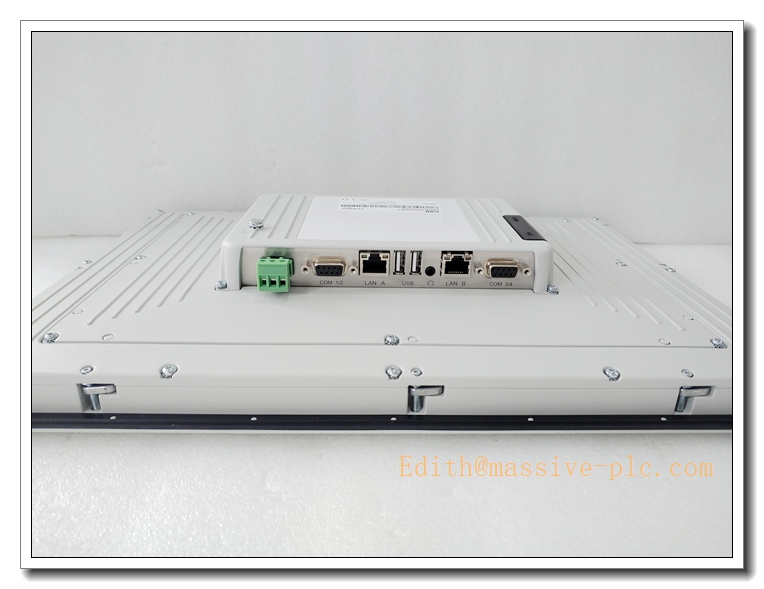
PP885R 3BSE0692985R1
ABB Same Series Related Models (≥6)
- PP885R 3BSE0692985R1
- PP885H
- PP885M
- PP881
- PP883
- PP886R
- PP887H
Maintenance
- Routine inspection: Check touchscreen surface, LED indicator, Ethernet cable and 24VDC power supply every 6–12 months
- Clean touch panel surface with soft dry cloth or mild dedicated screen cleaner; avoid strong solvent
- ESD protection must be adopted during disassembly, anti-static wristband required
- If touch drift or communication interruption occurs, check touch calibration, network connection and power stability
- Do not energize the unit if housing corrosion, water ingress or screen damage is found
- We support function testing, refurbishment and spare replacement service for this PP885R operator panel
Installation
- Cut off the 24VDC power supply before installation or replacement.
- Wear anti-static wristband to prevent electrostatic damage to internal circuit components.
- Fit PP885R into cabinet cutout, fasten mounting clips evenly.
- Connect 24VDC power cable and shielded Ethernet cable, ensure cable shielding grounding properly.
- Download HMI project and configure IP address, DCS communication parameters via Panel Builder software.
- Check all wiring and confirm no loose connections.
- Restore power supply, boot up HMI.
- Verify data communication with ABB controller, test touch function, alarm and manual control operation, complete commissioning.

 Start Chat