
Description
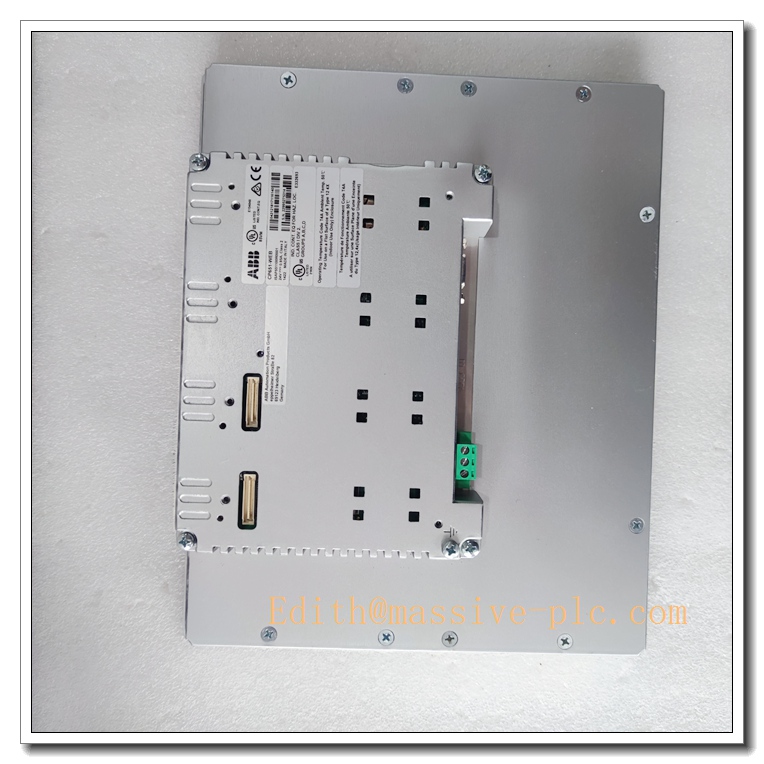
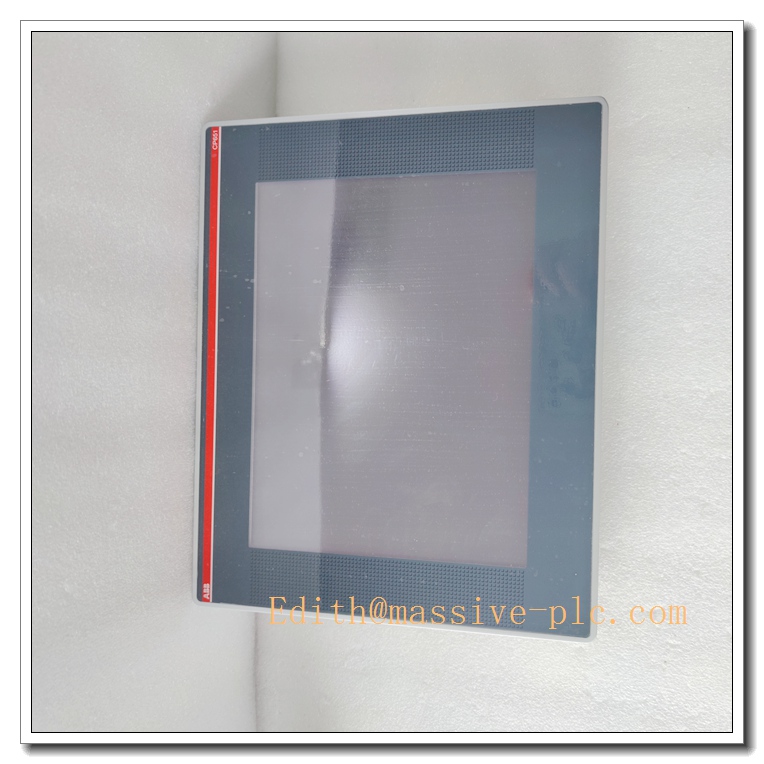
ABB CP651-WEB 1SAP551200R0001 CP600 Series 10.4″ Web-enabled Touch HMI Panel, Built-in Microbrowser Industrial Operator Interface, AC500 PLC Process Visualization Spare Part
Product Application
CP651-WEB is a web-capable 10.4-inch touch operator panel belonging to ABB CP600 family. It is equipped with integrated V2.3 microbrowser, supporting web-based visualization for ABB AC500 PLC system. It can display real-time process data, alarm logs and trend pages, and accept local manual operation.
- Factory automation production line local monitoring and operation
- Water & wastewater treatment plant cabinet door HMI
- Energy management and auxiliary power control room operation interface
- Packaging, printing and material handling machinery process supervision
- Chemical and light industry batch production web-based HMI visualization
- Retrofit and spare replacement for legacy ABB CP600 web HMI projects
- Remote web page access for AC500 PLC web server data
CP651-WEB
Specifications
- Part Number: CP651-WEB, 1SAP551200R0001
- Brand: ABB
- Product Type: Web-enabled Touch Control Panel (CP600 Series)
- Compatible System: ABB AC500 PLC, supporting AC500 V3 web server
- Display: 10.4″ TFT LCD, 800 × 600 pixels, 64K colors, LED backlight
- Touch Type: Resistive touchscreen
- Front Protection Rating: IP66, cabinet housing IP20
- Mounting: Panel cutout mounting
- Memory: 256MB user program RAM, 256MB flash data storage
- Dimension: 286 × 212 × 58 mm
- Weight: Approx. 1.9 kg
- Power supply: 24VDC
- Condition: Original new / refurbished spare available
- Compliance: CE, EN 61010, EMC industrial standard
Parameters
- Built-in function: V2.3 microbrowser for web page visualization
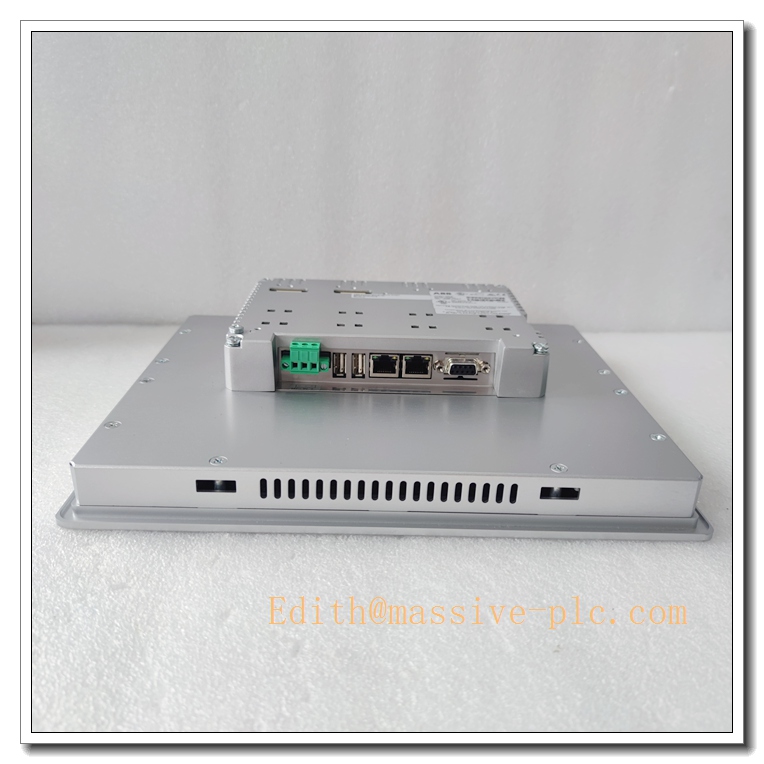
- Communication: 2 × 10/100Mbps Ethernet with integrated switch, 1 × RS232/422/485 serial port, 2 × USB2.0 host, 1 × SD card slot, 2 expansion slots
- Supported Protocol: Modbus TCP, HTTP/HTTPS, ABB AC500 web service
- Security: 8-level user password protection
- Operating Temperature: 0°C ~ +50°C
- Storage Temperature: -20°C ~ +70°C
- Relative Humidity: 5%~95% RH, non-condensing
- Status Indicator: Single front LED for power, operation and fault status
- SD card: Used for project backup, firmware upgrade and data logging
Key Features
- 10.4-inch 4:3 industrial touch panel with built-in microbrowser to access AC500 web server pages
- IP66 front panel, dust-proof and splash-proof, suitable for cabinet door installation in workshop environments
- Dual Ethernet ports with built-in switch, convenient network topology construction
- Rich interfaces: serial, USB and SD card slot for program download, data logging and peripheral connection
- 8-level user authority management, prevent unauthorized operation
- Resistive touch screen, can be operated with gloves under workshop conditions
- Compact panel cutout installation, easy to replace old CP600 series panels
- Support web-based visualization, flexible for remote browser access of PLC process data
CP651-WEB
ABB Same Series Related Models (≥6)
- CP651-WEB 1SAP551200R0001
- CP651 1SAP551100R0001
- CP661-WEB
- CP661
- CP635
- CP676
- CP620
Maintenance
- Routine inspection: Check touch screen surface, LED indicator, Ethernet cable and 24VDC power supply every 6–12 months
- Clean touch panel surface with soft dry cloth or mild dedicated screen cleaner; avoid strong solvent
- ESD protection must be adopted during disassembly, anti-static wristband required
- If web page loading failure or communication interruption occurs, check network connection, IP address and PLC web server status
- Do not energize the unit if housing corrosion, water ingress or screen damage is found
- We support function testing, refurbishment and spare replacement service for this CP651-WEB web touch panel
Installation
- Cut off the 24VDC power supply before installation or replacement.
- Wear anti-static wristband to prevent electrostatic damage to internal circuit components.
- Fit CP651-WEB into cabinet cutout, install sealing gasket and fasten mounting clips evenly.
- Connect 24VDC power cable and shielded Ethernet cable, ensure proper cable shielding grounding.
- Configure IP address, web server access parameters and user permission settings via engineering software.
- Check all wiring and confirm no loose connections.
- Restore power supply, boot up HMI.
- Verify web page connection with PLC, test touch function, alarm display and manual operation, complete commissioning.

 Start Chat