
Description
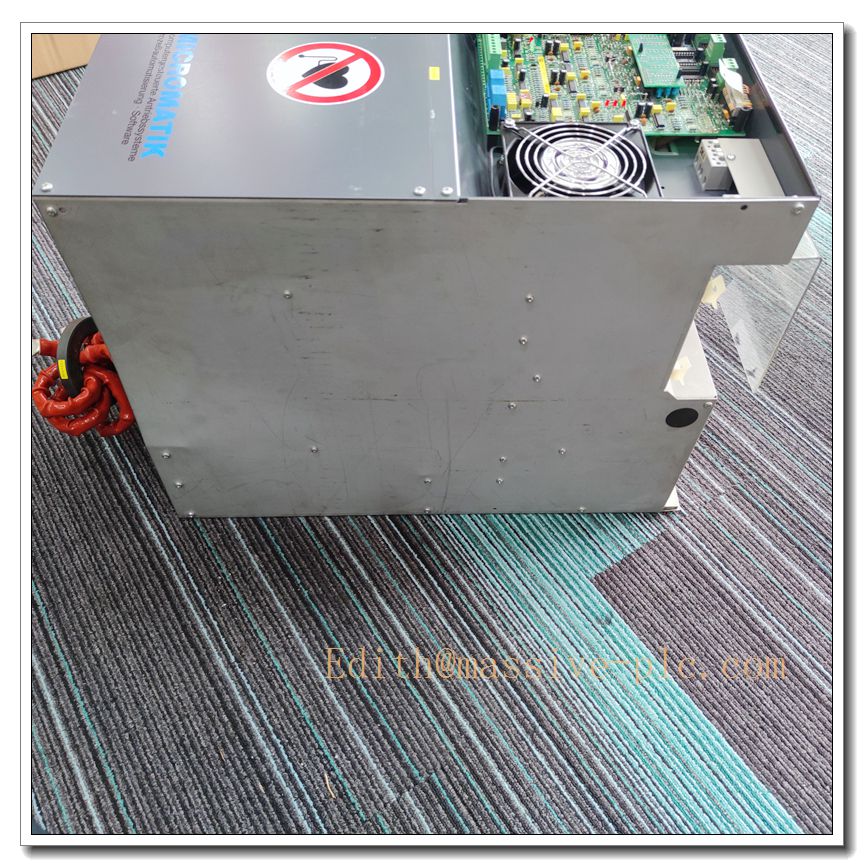
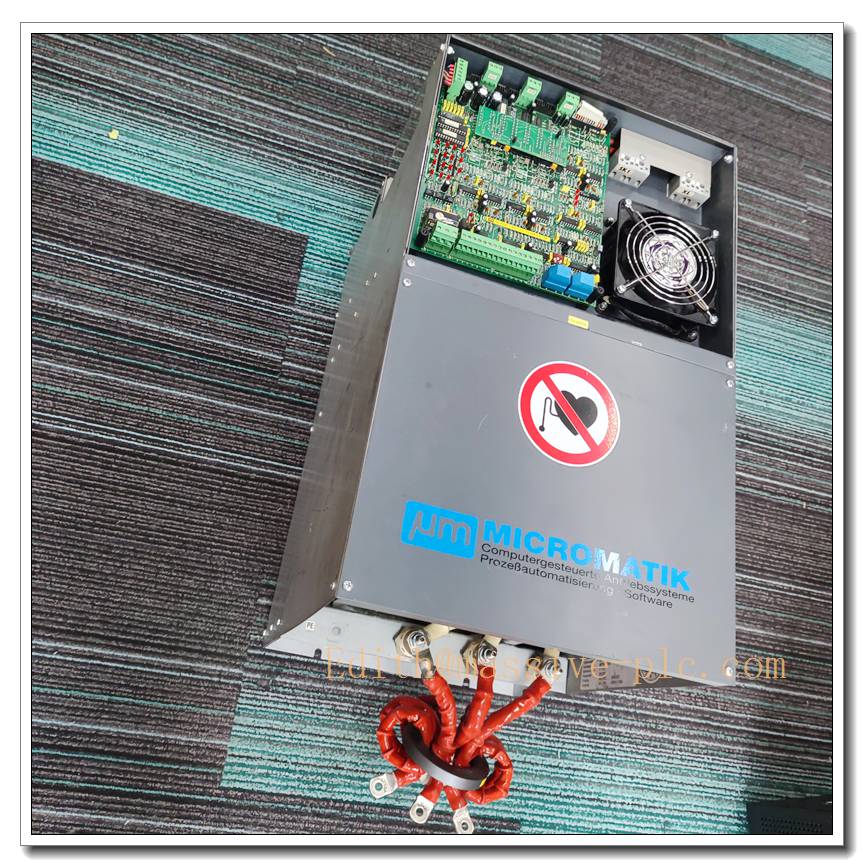
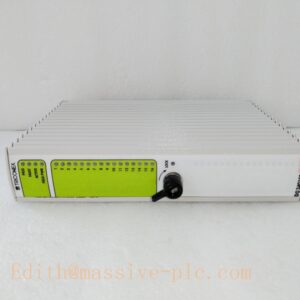
Micromatik MPWR-136 Industrial Rack-Mount Power Supply Module
Product Description
The Micromatik MPWR-136 is a high-reliability rack-based regulated power supply module engineered to deliver stable, clean DC power for industrial control racks, motion control boards and signal conditioning I/O assemblies. It converts universal AC mains input into tightly controlled DC output for backplane-powered electronic modules, providing overvoltage, overcurrent and thermal fault protection. Built for continuous 24/7 operation in factory electrical cabinets, the module suppresses output ripple and transients to protect sensitive control electronics from mains fluctuation and load surges. It serves as a direct OEM spare power unit to replace failed supplies and restore rack system functionality in automated production and precision machinery platforms.
MPWR-136
Technical Specifications
| Item | Parameter |
|---|---|
| Model | MPWR-136 |
| Brand | Micromatik |
| Type | Rack plug-in AC-DC power supply module |
| Input Voltage | 85–264 VAC universal mains |
| Primary Output | Regulated +24 VDC |
| Output Power | 136 W rated power |
| Operating Temperature | 0°C ~ +60°C |
| Storage Temperature | -40°C ~ +85°C |
| Cooling | Convection and auxiliary cabinet air cooling |
| Mounting | Plug-in slot mount for dedicated Micromatik rack backplane |
| Protection | OVP, OCP, overtemperature shutdown, short-circuit auto-recovery |
| Enclosure Rating | IP20 for rack internal use |
| Isolation | Reinforced isolation between primary AC side and secondary DC side |
Compatibility & Installation Traps
Compatibility
- Designed exclusively for Micromatik series rack backplanes and matching chassis.
- Supplies power to compatible Micromatik motion control, encoder interface and digital I/O modules.
- Must match rack firmware revision and backplane hardware version; older chassis may not support this power model.
- Not interchangeable with third-party DIN rail supplies or other brand rack power modules even if output voltage appears identical.
Common Installation Traps
- Inserting the module into an incompatible backplane slot; pin assignment differences can cause short-circuit and permanent damage.
- Applying AC input outside the 85–264 VAC range; high mains voltage triggers immediate overvoltage shutdown or component burnout.
- Poor cabinet airflow leading to thermal derating; the module will shut down automatically once internal temperature exceeds threshold.
- Ignoring backplane load budget; total rack module power draw exceeding the 136 W rating causes repeated overcurrent trips.
- Hot insertion and removal while rack AC power is energized, risking backplane arcing and module input circuit failure.
- Reversed DC load wiring on field terminal blocks, triggering constant short-circuit protection and preventing startup.
- Using unfiltered mains feed without surge suppression; lightning or switching transients damage the input rectifier stage.
- Mismatched module revision; newer MPWR-136 revisions may require backplane signal jumpers for power-good alarm reporting.
Standard Operating Procedure (SOP)
- Pre-inspection: Visually check the MPWR-136 for cracked casing, burnt components or bent edge connectors. Confirm part number and revision match the original unit.
- Lockout and isolation: Disconnect rack main AC power source, lock out and tag the disconnect. Verify zero AC voltage at the rack inlet terminals.
- ESD control: Wear an ESD wrist strap and work on an anti-static surface when handling the plug-in module.
- Module extraction: Release the front panel latch of the faulty supply, slide it smoothly out of the backplane slot.
- New module installation: Align the MPWR-136 edge connector with the rack slot, push fully home and engage the front latch.
- Load verification: Confirm total rack module power consumption is within the 136 W rated capacity; inspect all backplane signal and power wiring.
- Power restoration: Re-enable mains power gradually, observe the power-good indicator LED and confirm stable 24 VDC output.
- Functional test: Power up all rack I/O and motion modules, check for fault alarms, and run system self-diagnostics.
- Commissioning and documentation: Record the serial number and revision of the new supply, clear power fault logs and return the system to operational mode.
Application Scenarios
- Micromatik motion control rack power backbone
- Automated semiconductor handling equipment control cabinets
- Precision web converting and printing machine control racks
- Multi-axis gantry and pick-and-place automation systems
- Packaging machinery centralized rack I/O power distribution
- Factory automated test equipment (ATE) control subsystems
- Metal cutting and CNC auxiliary control electronics
- Legacy Micromatik machine rack retrofit and spare maintenance
Matching Components
- Micromatik dedicated rack chassis and backplane assembly
- 85–264 VAC mains inlet filter and surge protection unit
- Rack signal and power backplane ribbon cables
- Cabinet forced-air cooling fan assembly
- Module front panel latches and slot retaining hardware
- Rack monitoring and power-good alarm interface board
- ESD wrist strap and anti-static workstation kit
- Backplane terminal blocks and insulated power wiring
Recommended Related Models (8)
- MPWR-050
- MPWR-075
- MPWR-100
- MPWR-120
- MPWR-150
- MPWR-200
- MPWR-250
- MPWR-300

 Start Chat