
Description
BradCommunications PCU-DP2IO (DR2-DPM-PCU / PN:112011-5033) Product Document
Brand:Brad Communications(Woodhead,now Molex) | Model:PCU-DP2IO | Series:ApplicomIO PCI PROFIBUS-DP Card
Product Title & Description
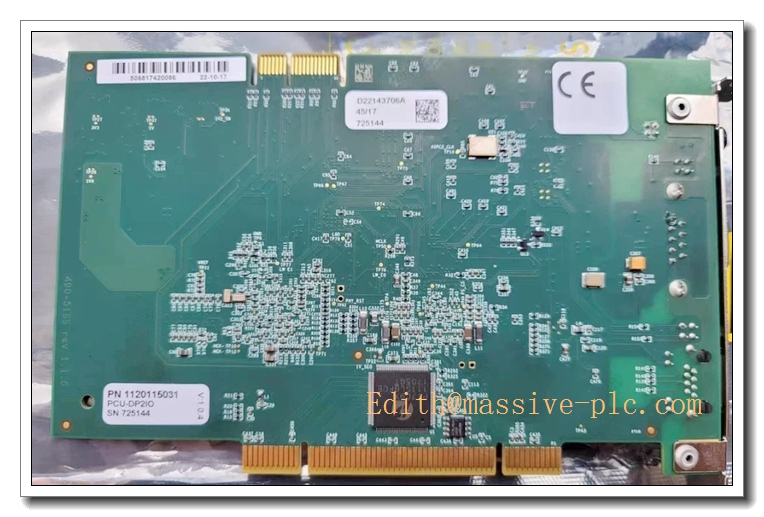
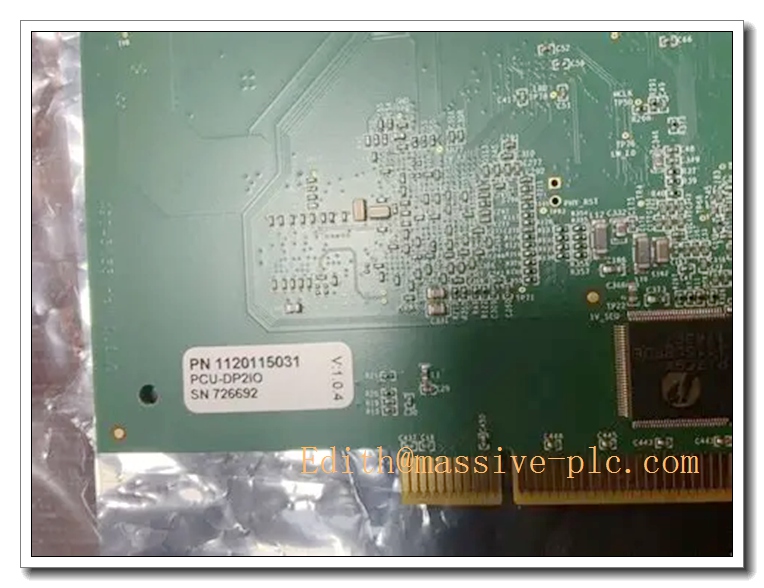
PCU-DP2IO is a Universal PCI PROFIBUS-DP dual-channel fieldbus communication interface card for industrial PC/IPC, part of Brad ApplicomIO series. It enables industrial computers to act as PROFIBUS-DP Master (Scanner) or Slave station, realizing real-time data exchange between IPC and PROFIBUS-DP remote slave I/O, drives, instruments. Widely used in power plant SCADA, pulp & paper, metallurgy, chemical industry legacy Windows-based IPC control systems. It is a critical spare for old PROFIBUS DCS/IPC cabinet maintenance.
Core Product Overview
PCU-DP2IO is dual-port PROFIBUS-DP PCI card:
- 2 independent PROFIBUS-DP channels, support multi-drop PROFIBUS network
- Support DP-V0 / DP-V1, can work as Class1 Master, Class2 Master or Slave
- Max baud rate: 12 Mbps
- Onboard dedicated communication processor + dual-port RAM; offload PROFIBUS protocol stack from host PC CPU
- Support multi-master PROFIBUS topology, watchdog function for bus fault detection
- Software interface: Applicom OPC Server, DLL library for custom SCADA/HMI programming
- DB9 PROFIBUS connectors on bracket, LED indicators for power, bus activity and channel fault
Lifecycle note: PCU-DP2IO is discontinued (Molex retired Woodhead Brad ApplicomIO PCI series). Only NOS or refurbished spare available for legacy system maintenance.
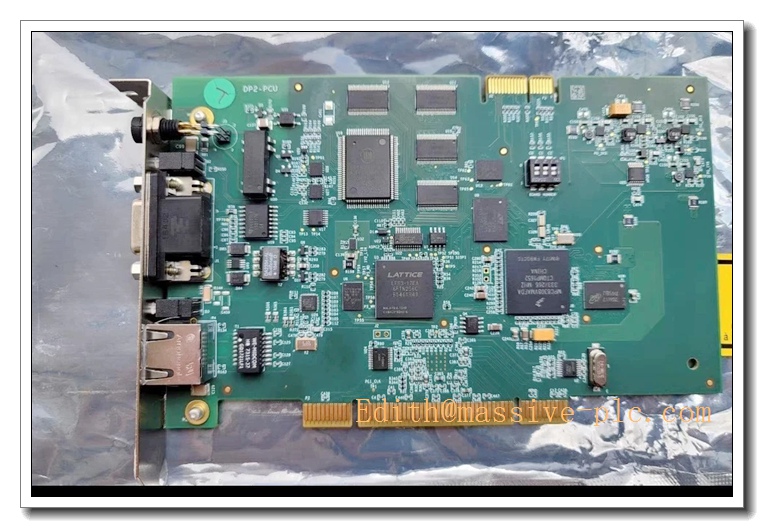
PCU-DP2IO
Main Technical Specifications
- Manufacturer: Brad Communications (Woodhead / Molex)
- Model: PCU-DP2IO (Alternate PN: DR2-DPM-PCU, 112011-5033)
- Product Type: Dual-channel PCI PROFIBUS-DP Master/Slave Interface Card
- Bus Interface: Universal 32-bit PCI
- Fieldbus: PROFIBUS-DP, DP-V0 / DP-V1
- Ports: 2 × DB9 PROFIBUS ports
- Baud Rate: 9.6k ~ 12Mbps
- Operation Mode: Master (Class1/Class2) / Slave
- Driver: ApplicomIO driver, OPC DA server
- Operating Temperature: 0°C ~ +60°C
- Storage Temperature: -40°C ~ +85°C
- Relative Humidity: 5%~95%, non-condensing
- Protection Class: IP20 (inside industrial PC / cabinet)
- Certifications: CE, UL
Quality Control Procedures
Brad ApplicomIO series comply with ISO9001 and PROFIBUS conformance standards.
- Incoming Component Inspection: onboard embedded CPU, dual-port RAM, PROFIBUS transceivers, PCI bridge chips screening.
- Assembly with unique serial number for full lifecycle traceability.
- Full functional test: dual channel PROFIBUS communication, master/slave mode switching, 12Mbps high speed test, watchdog & bus fault simulation.
- Environmental stress screening: thermal cycling, vibration, EMC surge test for industrial IPC environments.
- Final inspection & packing: visual inspection, anti-static packaging with factory test report.
Brand Related Matching & Replacement Models
- PCU-DPIO: Single channel PCI PROFIBUS-DP card
- SST series PROFIBUS PCI cards (alternative spare)
- PROFIBUS bus terminators, DB9 connectors, shielded PROFIBUS cable
- Previous ABB Advant CI522A / TC512V1 (different bus: AF100, not PROFIBUS)
FAQ
A1: Dual-port PCI PROFIBUS-DP card installed inside industrial PC, makes IPC become PROFIBUS master to communicate with DP slaves (remote I/O, VFD, transmitters).
A1: : 2 independent PROFIBUS DP channels; PCU-DPIO: single PROFIBUS DP channel.
A3: Discontinued. Only NOS and refurbished spare available for legacy IPC/SCADA systems.
Q4: What software can be used? A4: Applicom configuration tool, Applicom OPC DA server, custom software via Applicom DLL.
A5: Original / refurbished unit carries standard 12-month factory warranty under proper installation and operating conditions.
Installation & Configuration Guide
7.1 Pre-installation Preparation
Ve card, inspect PCI gold finger, DB9 connectors and LED indicators. Prepare industrial PC with free PCI slot, shielded PROFIBUS cable, PROFIBUS terminators, Applicom driver & configuration software. Power off IPC before installation, wear ESD protection.
7.2 Installation Steps
In into free PCI slot of IPC and secure bracket. Install Applicom driver on Windows OS. Connect PROFIBUS shielded twisted pair cable to DB9 ports, install bus terminators at physical endpoints of each DP segment. Single-point shield grounding inside cabinet.
7.3 System Configuration & Commissioning
Power up IPC, confirm PCI hardware recognized by Windows. Open Applicom configuration software, set PROFIBUS baud rate, station address, define slave device list and I/O data mapping. Download configuration to card. Test real-time I/O data exchange, simulate cable break to verify watchdog fault alarm. Backup card configuration.
7.4 Maintenance & Precautions
Avoid PCI gold finger contamination. Keep DB9 connectors clean, ensure proper PROFIBUS bus termination. If communication dropout or unstable data occurs, check bus terminator, cable shielding and grounding before repla.

 Start Chat