Description
Allen-Bradley 1201-HASI Full English Technical Document
Product Title
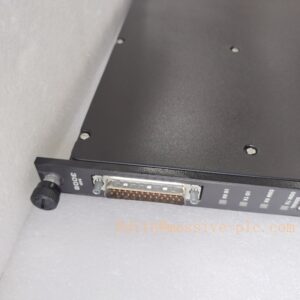
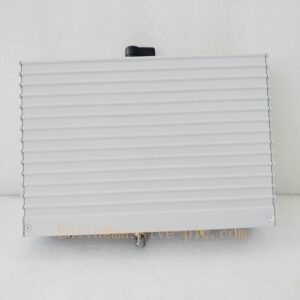
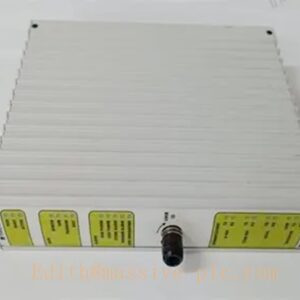
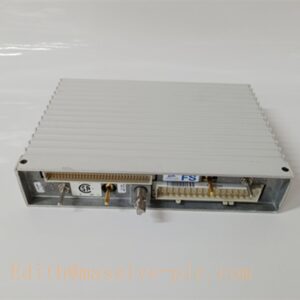
Allen-Bradley 1201-HASI Industrial Automation High-Performance Control Interface Module
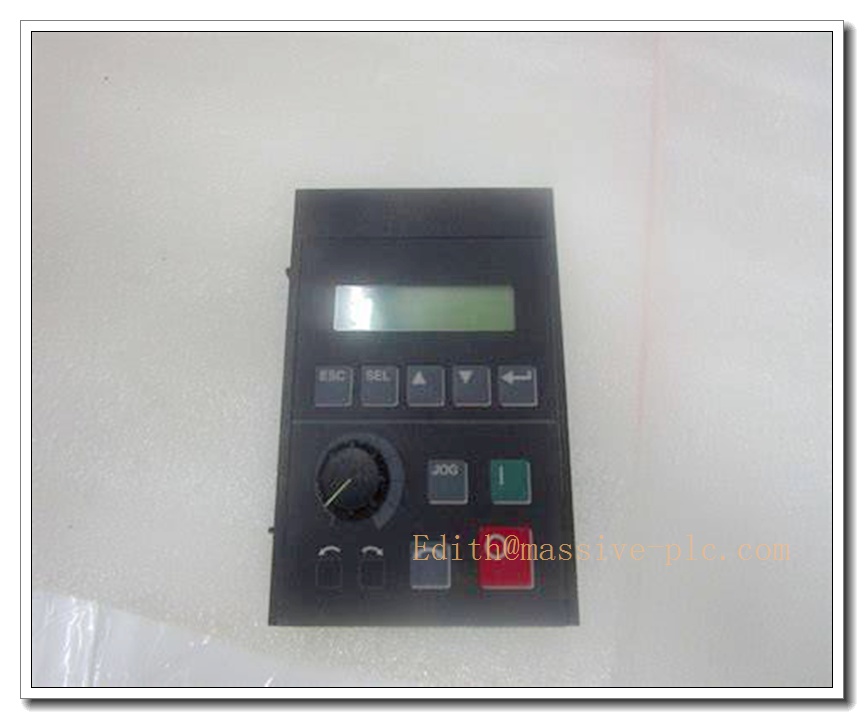
1201-HASI
Product Description
The Allen-Bradley 1201-HASI is a rugged, high-performance industrial control interface module belonging to the Rockwell Automation Allen-Bradley industrial automation ecosystem. Purpose-built to meet the diverse, stringent reliability demands of heavy industrial scenarios, it integrates cutting-edge signal processing technology and innovative industrial communication features to deliver superior long-term operational stability. As a core interoperability hub for Allen-Bradley distributed control systems, it enables seamless signal conversion, electrical isolation, and multi-protocol adaptation between field industrial devices and upper-level main controllers, making it a trusted drop-in replacement spare part for legacy Allen-Bradley automation system maintenance and retrofitting projects.
Technical Specifications
- Manufacturer: Allen-Bradley (Rockwell Automation)
- Part Number: 1201-HASI
- Product Type: Industrial Control Interface Module
- Operating Voltage: Compliant with global industrial standard 24V DC (±10%)
- Operating Temperature Range: -20°C to +70°C
- Ambient Humidity Rating: ≤95% non-condensing, suitable for non-corrosive industrial environments
- Physical Dimensions: Compact lightweight industrial form factor
- Enclosure Material: High-strength corrosion-resistant industrial-grade engineering plastic
- Communication Interfaces: Native Allen-Bradley industrial system bus, supporting mainstream Rockwell automation protocols
- EMC Performance: Strong industrial-grade electromagnetic interference resistance
- Mean Time Between Failures (MTBF): ≥70000 hours
- Warranty Period: 12 months from factory delivery
Key Features and Advantages
- Native seamless compatibility with Allen-Bradley distributed control systems eliminates the need for third-party protocol conversion hardware, enabling direct drop-in replacement for legacy 1201 series interface modules
- Rugged industrial-grade corrosion-resistant construction ensures long-term reliable operation under high-vibration, high-electromagnetic-interference harsh industrial conditions
- Advanced built-in industrial communication protocol support enables seamless plug-and-play integration into existing Rockwell automation control networks
- Compact low-power consumption design reduces total system power load and cabinet footprint, making it ideal for space-constrained industrial control panel deployment
- Full industrial safety compliance meets global industrial equipment regulatory requirements, supporting safe deployment in worldwide industrial facilities
- Built-in continuous self-diagnostic function automatically detects hardware faults and signal anomalies, triggering precise fault location alarms to minimize unplanned production downtime
- Standard modular design simplifies on-site installation and maintenance, supporting fast replacement without full system shutdown
- Full backward compatibility with legacy Allen-Bradley industrial automation spare part ecosystem ensures long-term supply chain support for aging system maintenance
Model Parameter Details
| Part Number | Core Configuration |
|---|---|
| 1201-HASI | Standard industrial control interface module, 24V DC industrial power supply, wide operating temperature range, corrosion-resistant enclosure, full Allen-Bradley system compatibility |
Application Fields
- Large-scale manufacturing production line distributed control system signal interconnection
- Petrochemical plant industrial automation system spare part replacement and retrofitting
- Heavy industrial metallurgy production line process monitoring and control
- Intelligent manufacturing automated production line motion control system
- Legacy Allen-Bradley industrial control system maintenance and upgrade scenarios
- Food and pharmaceutical processing plant industrial automation equipment control
Related Product Recommendations
- Allen-Bradley ControlLogix Series Main Processing Unit
- Allen-Bradley 1201 Series Module Dedicated DIN Rail Mounting Bracket Kit
- Allen-Bradley Redundant 24V DC Power Supply Unit for Control Cabinets
- Allen-Bradley Industrial Control System Dedicated Shielded Communication Cable Kit
- Rockwell Automation Studio 5000 Official Configuration and Diagnostics Software
- Allen-Bradley Industrial Signal Surge Protection Barrier Module
- Allen-Bradley High-Density Digital I/O Expansion Module
- Allen-Bradley 1201-HASI Field Calibration and Debugging Toolkit
Pre-Installation Safety Precaution
Before initiating any hardware installation or wiring procedures, ensure all connected industrial control systems are fully de-energized, locked out, and tagged in strict compliance with local industrial electrical safety regulations. Only qualified industrial automation and electrical maintenance personnel with professional high-voltage operation certification are authorized to perform installation work. Never insert or remove the module while the system is connected to live high-power circuits, as improper hot-plug operations may cause permanent hardware damage or unexpected production safety risks.
Hardware Installation Steps
- Select a dedicated mounting position on the DIN rail inside the industrial control cabinet, ensuring sufficient ventilation clearance around the module, avoiding direct exposure to high-temperature radiation, moisture, or corrosive industrial dust
- Secure the module firmly to the DIN rail, confirming the mechanical locking mechanism engages completely to prevent vibration-induced disconnection during long-term operation
- Connect the 24V DC power wiring to the module’s dedicated power terminals, verifying the power supply voltage matches the module’s rated specification before applying power
- Terminate all field signal and communication wiring strictly following the official Allen-Bradley wiring schematic, confirming signal polarity, shielding single-point grounding, and terminal labeling accuracy
- Wire all upper-level control system communication cabling with proper shielding grounding, to eliminate strong electromagnetic interference impact on signal transmission stability
- Torque all wiring terminals to the specified torque values, and install dedicated cable strain relief for all external field wiring runs
System Configuration Workflow
- Power on the module after completing all wiring checks, confirm the power indicator LED on the front panel illuminates in normal steady state with no active fault alarms
- Connect the configuration engineering workstation to the Rockwell automation system service port, launch the official Studio 5000 configuration software to establish stable communication with the new module
- Complete basic device parameter setup, including module identification, local time synchronization, and I/O channel allocation configuration
- Calibrate all signal input and output channel scaling parameters, matching the connected field sensor and actuator operational ranges to ensure measurement and control accuracy
- Configure industrial communication protocol parameters, enabling seamless real-time data exchange with the upper-level PLC or DCS system
- Customize self-diagnostic alarm thresholds and control interlock logic according to specific on-site production process requirements, then save the full configuration profile to non-volatile onboard memory
Post-Installation Verification Checklist
- Confirm all front-panel status LEDs operate in normal state, with no persistent active fault or warning indicators
- Validate that real-time sampled signal values and control output actions fully match the expected on-site process parameters
- Perform full system communication testing, confirming the module transmits accurate, stable data to the upper-level control system without drift or loss
- Test the built-in self-diagnostic function manually, confirming the module correctly identifies signal disconnection and hardware anomaly conditions and triggers corresponding fault alarms
- Verify end-to-end communication connectivity between the module and the Allen-Bradley main control unit, confirming complete, uncorrupted real-time data transmission
- Trigger the full system power cycle test, confirming the module resumes normal operation automatically after power restoration without configuration loss