
Description
CP650 1SAP550100R0001 Product Technical Manual
1. Product Core Introduction
The CP650, part number 1SAP550100R0001, is ABB CP600 series industrial control panel (HMI) designed for AC500 PLC automation platforms. It features a 10.4-inch TFT color touchscreen and PB610 runtime, used for real-time process visualization, setpoint adjustment, alarm acknowledgement, recipe management and local equipment operation. It communicates with AC500 controllers via Ethernet or serial ports, widely applied in machinery, water treatment, energy and manufacturing automation cabinets. It is commonly used as spare replacement for existing ABB AC500 projects and cabinet retrofit.
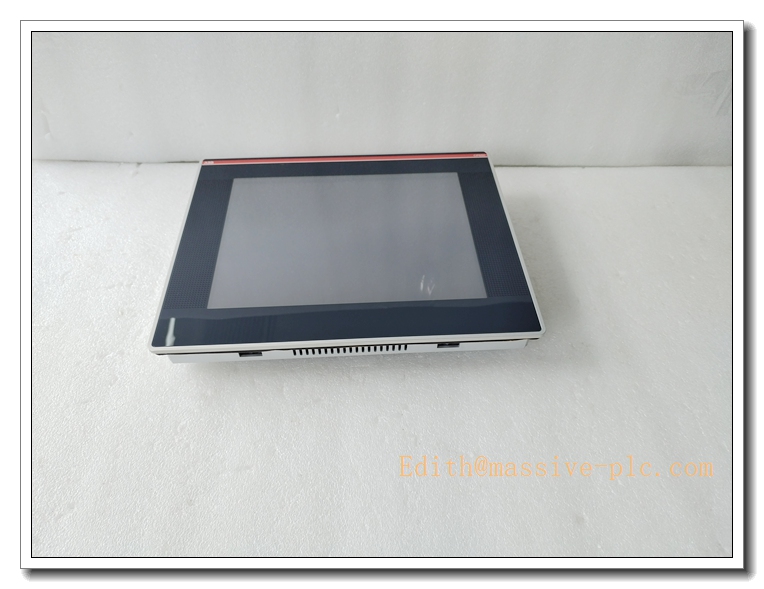
CP650 1SAP550100R0001
2. Main Technical Specifications
- Model: CP650, Order Code: 1SAP550100R0001
- Power Supply: 24VDC, operating range 19.2–28.8VDC
- Power Consumption: Max 20W
- Display: 10.4-inch TFT LCD, 64K colors, 800 × 600 (SVGA), LED backlight
- Touch: Analog resistive touch screen
- Runtime: PB610 visualization runtime license pre-installed
- Communication Interfaces: 1×10/100Mbps Ethernet, 2×RS232/422/485, 1×USB2.0 Host, 1×AUX port
- Supported Protocols: Modbus TCP, Modbus RTU, ABB AC500 proprietary protocol
- Operating Temperature: 0°C ~ +50°C
- Storage Temperature: -20°C ~ +70°C
- Relative Humidity: 5%–95% RH, non-condensing
- Protection Class: Front panel IP66; Rear housing IP20
- MTBF: ≥90,000 hours
- Mounting: Cabinet door flush panel mounting
- Dimension: 287 mm × 232 mm × 56 mm
- Net Weight: 2.0 kg
- Status Indicators: Power, Run, Communication LED indicators
3. Recommended Homologous Series Models
- CP650-WEB 1SAP550200R0001: Web browser version, for web-based visualization, no PB610 runtime.
- CP660: Upgraded high-performance 10.4-inch HMI with higher CPU performance, larger storage.
- CP630: Compact 7-inch CP600 series panel for small machine control cabinets.
- CP675: 15-inch large-screen model for complex multi-process monitoring.
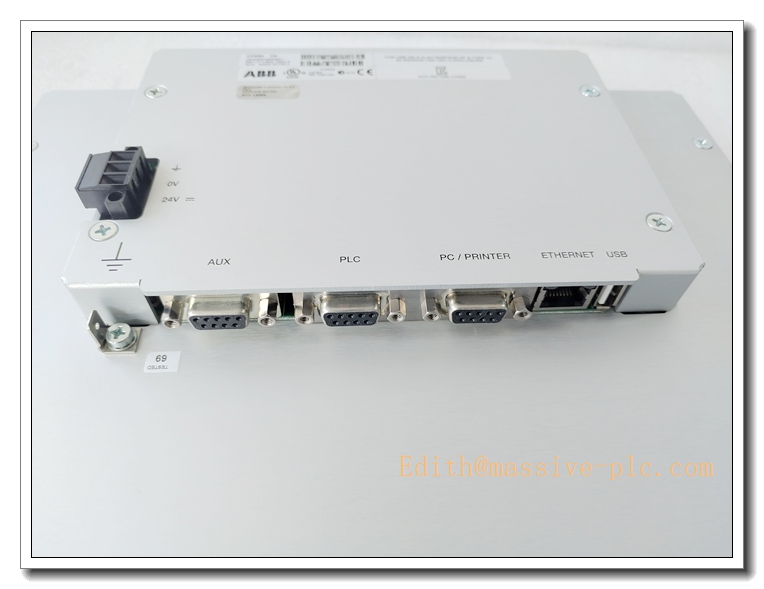
CP650 1SAP550100R0001
4. Professional Quality Control & Test Standard Operating Procedures (SOP)
4.1 General Test Standard
All CP650 control panels are inspected complying with ISO9001, IEC61000 EMC standards. Each unit carries unique serial number for full lifecycle traceability.
4.2 Core Test SOP
- Visual & Mechanical Inspection: Inspect front aluminum panel, touchscreen, sealing gasket, terminal blocks and communication connectors for scratches, cracks and damage; verify panel cutout dimension and mounting bracket fit against engineering drawings.
- Power-On Basic Function Test: Apply minimum, rated and maximum 24VDC supply; validate power and run LED; check LCD display and touch response, confirm no overcurrent or short-circuit.
- Display & Touch Calibration Test: Test full-screen display uniformity, check for dead pixels; perform touch point calibration across whole panel surface, verify no touch drift or blind zones.
- Communication Interface Test: Connect to AC500 PLC via Ethernet and RS485; read real-time tags, write setpoints and test alarm transmission, monitor communication error counters.
- EMC Immunity Test: Conduct ESD, electrical fast transient burst, surge and radiated interference test per IEC61000; confirm no screen garbling, touch mis-trigger or communication dropout.
- Temperature Cycling Test: 0°C ↔ +50°C thermal cycling for 40 cycles, 2 hours per cycle; validate display stability and touch reliability under temperature variation.
- Vibration & Shock Test: 10–150Hz sinusoidal vibration and mechanical shock test to validate touch assembly, PCB solder joints and connector retention for industrial cabinet environment.
- Continuous Burn-In Aging: 160 hours burn-in at 45°C with continuous real-time tag refresh; monitor backlight stability and communication quality to screen intermittent hidden faults.
- Final Inspection & Packaging: Reset factory parameters, re-calibrate touch screen, record serial number, pack with anti-static bag and attach inspection certificate.
5. New Module Installation Guidelines
5.1 Pre-installation Preparation
Cut off cabinet control power and PLC power; confirm model and part number match purchase order; inspect panel, gasket and terminals for integrity. Wear anti-static wristband before handling internal circuit board. Prepare screwdriver, torque screwdriver, shielded communication cable and PB610 programming laptop for project download.
5.2 Installation Steps
- Machine cabinet door cutout following dimension drawing; clean aperture edge and remove burrs.
- Fit rubber sealing gasket on front frame; insert CP650 from cabinet front into the cutout.
- Fasten rear mounting brackets evenly with specified torque to compress gasket and maintain IP66 front protection.
- Wire 24VDC control power to power terminals; connect shielded Ethernet or RS485 serial cable to AC500 PLC.
- Tighten terminal screws; confirm correct power polarity and no bare copper exposure. Separate communication cables from high-power cables.
5.3 Post-installation Commissioning
Restore cabinet control power and energize HMI panel; observe LED indicators to confirm normal power and boot status. Download HMI project via PB610 software, configure communication parameters and station address. Test real-time data reading, setpoint modification and alarm acknowledgement function. Run continuous 60-minute stability test; verify touch response and communication link before formal online operation.
6. Application Scenarios & Product Features
6.1 Core Application Scenarios
- Water treatment plant local control cabinet monitoring and operation
- Packaging, printing and material handling machinery HMI
- Power auxiliary equipment and renewable energy local operation panel
- Chemical and food processing plant process parameter monitoring
- Legacy ABB AC500 system spare replacement and cabinet retrofit
6.2 Core Product Features
- ABB CP600 series 10.4” industrial touch control panel for AC500 PLC platform
- Pre-installed PB610 runtime, supporting HMI project development and visualization
- IP66 front panel protection, suitable for dusty and humid workshop cabinet door installation
- Rich interfaces: Ethernet, dual serial ports, USB for program download and data storage
- Supports recipe management, event logging, trend curve and alarm function
- High EMC immunity, stable performance under industrial electromagnetic interference
- Aluminum front housing, LED backlight with long service life, easy flush mounting and spare swap
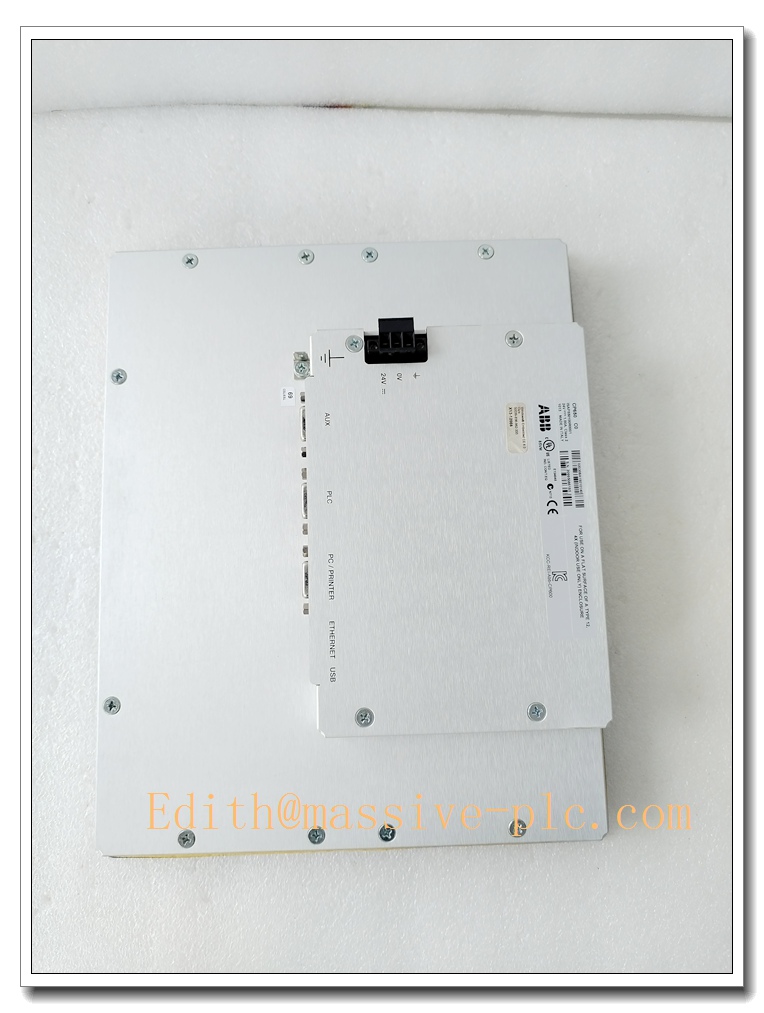
CP650 1SAP550100R0001
7. Frequently Asked Questions (FAQ)
Q1: Power LED off after installation A1: Verify 24VDC supply voltage and polarity; inspect loose terminals or broken wiring; measure terminal voltage. If input voltage normal while LED stays off, replace the control panel.
Q2: Touch screen unresponsive or touch position drifts A2: Re-run touch calibration program; check for scratch or liquid contamination on touch film; inspect internal touch connector. Replace touch assembly if hardware damage occurs.
Q3: HMI cannot communicate with AC500 PLC A3: Check communication cable shielding and wiring; verify IP address / baud rate and protocol match PLC setting; eliminate ground loop interference.
Q4: Screen flickers or has abnormal bright/dark spots A4: Check power supply ripple; inspect high-power cable interference; verify ambient temperature within rated range. Replace backlight unit if aging.
Q5: HMI project cannot be downloaded A5: Check USB or Ethernet connection; confirm PB610 software version compatibility; verify panel storage free space.
Q6: Can CP650 run with third-party PLC brands? A6: It supports Modbus TCP / Modbus RTU for third-party controllers, but native PB610 visualization is optimized for ABB AC500. Full function compatibility needs project re-development.

 Start Chat